
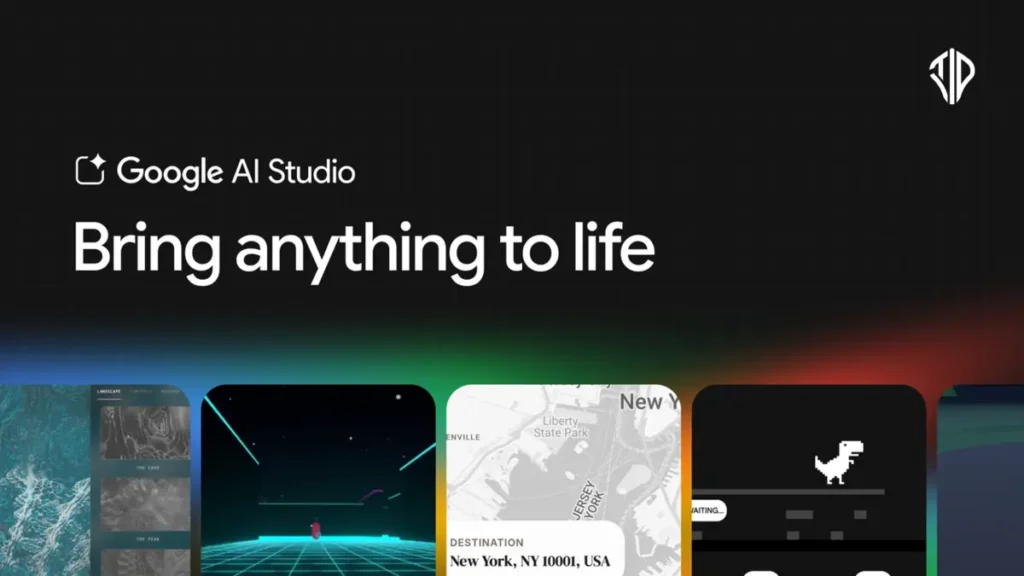
The landscape of software development has shifted. In 2026, the phrase “Vibe Coding” is no longer just a meme—it is a functional reality. With the launch of Google AI Studio 2.0 and the Antigravity coding agent, Google has transformed its testing ground for Gemini into a full-stack, production-ready powerhouse that rivals Vercel’s v0.
This guide will walk you through everything you need to know about “Vibe Coding” in Google AI Studio, from initial prompt to full-stack deployment.
Key Takeaways
- Vibe Coding has evolved from frontend prototyping to full-stack, production-ready development including backend and database provisioning.
- Google AI Studio 2.0 utilizes Gemini 2.5 Pro with a 1-million-token context window for comprehensive project reasoning.
- The Antigravity Agent features “Verified Execution,” running code in sandboxes to eliminate hallucinations before preview.
- Deep Firebase integration allows for zero-config authentication and persistent data storage via simple natural language prompts.
- Pricing is tiered to support free prototyping while offering scalable pay-as-you-go options for professional production apps.
What is Full-Stack “Vibe Coding”?
Historically, “Vibe Coding” referred to generating a pretty frontend that didn’t actually do anything. You could prompt a beautiful dashboard, but it had no memory, no database, and no way to handle user logins.
As of March 2026, Google AI Studio has solved this by introducing a server-side runtime and the Antigravity Agent. Now, when you describe an app, the AI doesn’t just write HTML/CSS; it provisions a backend, sets up a database, handles API secrets, and installs the necessary npm packages automatically. You provide the “vibe” (the intent), and Google provides the infrastructure.
The Core Architecture: Antigravity & Gemini 2.5
At the heart of this experience is Gemini 2.5 Pro, Google’s state-of-the-art reasoning model. It features a 1-million-token context window, which is the secret sauce for full-stack builds.
Because the model can “remember” your entire project structure—from your React frontend to your Node.js backend logic—it doesn’t lose track of variables or break dependencies when you ask for an update. The Antigravity Agent acts as the executor, performing “Verified Execution.” It actually runs the code in a background sandbox to verify it works before showing you the preview, drastically reducing the “hallucination” rate common in earlier AI coders.
Step-by-Step: Building Your First Full-Stack App
Building in Google AI Studio follows a natural, conversational flow. Here is the blueprint for a production-grade build.
1. The Initial Prompt (Build Mode)
Start in the Build Mode tab. You can start with a text prompt, a voice command, or even by uploading a screenshot of a design you like.
- Pro Tip: Use “AI Chips” to add specific Google services like Maps or YouTube data directly into your initial prompt.
- Example Prompt: “Build a multiplayer task manager where teams can chat in real-time. Use Next.js, add a ‘Sign in with Google’ button, and store tasks in a database.”
2. Auto-Provisioning with Firebase
One of the most significant updates in 2026 is the Deep Firebase Integration. When you ask for a database or login, the Antigravity Agent doesn’t just write the code—it asks for permission to provision Cloud Firestore and Firebase Authentication.
- Persistence: Your app now has “memory.” Users can log in, save data, and return later to find their progress intact.
- Zero-Config Auth: The agent handles the OAuth 2.0 flow for Google Sign-In automatically, injecting the necessary keys into your project’s hidden secrets.
3. Server-Side Logic and NPM Support
Unlike simple site builders, AI Studio now supports a true Node.js server-side runtime.
- Package Management: If you say “add a chart,” the agent will automatically identify, install, and import the correct npm package (like Recharts or Chart.js).
- Secrets Manager: You can now securely store API keys for Stripe, OpenAI, or Twilio in the Settings > Secrets menu. The agent writes server-side code to access these, ensuring your private keys are never exposed to the user’s browser.
Advanced Features: Multiplayer and 3D
Google AI Studio has moved aggressively into Multiplayer Vibe Coding. By leveraging its server-side state management, you can build collaborative tools—like a shared whiteboard or a retro-style 3D game—with a single prompt.
The agent handles the Websocket logic and real-time syncing. For example, you can prompt: “Create a 3D multiplayer snake game using Three.js where players grow by eating neon orbs.” The Antigravity agent will set up the 3D canvas and the real-time server logic to sync player positions instantly.
Deployment: From Prompt to Production
Once your “vibe” is perfected in the Live Preview, you have three primary paths to take your app public:
- One-Click Share: Generates a temporary URL for testing with friends or stakeholders.
- Deploy to Cloud Run: The gold standard for production. This hosts your app on Google’s scalable serverless infrastructure. It’s “Zero-Ops”—you don’t need to know how to configure a server; Google handles the scaling.
- Export to GitHub: If you want to move into a traditional development environment (like VS Code), you can push the entire repository to GitHub in one click.
Pricing and Availability
As of early 2026, Google AI Studio has moved from a simple “free experimental” phase to a structured, multi-tiered billing system designed to compete directly with platforms like Vercel and Cursor.
Google AI Studio 2.0 Pricing: Prototyping vs. Production
Google’s strategy revolves around keeping “Vibe Coding” and prototyping entirely free, while charging for high-volume API access and enterprise-grade deployment.
The “Free Tier” (Active Prototyping)
The Free Tier is exceptionally generous for individual developers and small-scale experiments. It is the only place where you can use the Gemini 2.5 Pro model with a 1-million-token context window at no cost, provided you stay within certain limits.
- Gemini 2.5 Flash: Up to 1,000 requests per day (if authenticated).
- Gemini 2.5 Pro: Up to 50 requests per day and 2 requests per minute.
- Note: Your data in the Free Tier may be used by Google to improve their models, which is the “hidden cost” of the free access.
The “Paid Tier” (Pay-as-you-Go)
Launched in late 2025 and fully enforced in March 2026, this tier is for production apps. It offers higher rate limits and ensures your data remains private (not used for training).
- Billing Plan: You can choose between Prepay (minimum $10 credit) or Postpay.
- Gemini 2.5 Pro Cost: $1.25 per 1M input tokens and $10.00 per 1M output tokens.
- Gemini 3 Flash (Preview): $0.50 per 1M input tokens and $3.00 per 1M output tokens.
- Context Caching: You can save up to 90% on costs by caching frequently used data (like your entire codebase) within the context window.
2026 Comparison: Google AI Studio vs. Key Alternatives
While Google AI Studio is a “complete” ecosystem for Google Cloud users, other tools might be more cost-effective depending on whether you are building a UI or writing deep logic.
| Feature | Google AI Studio 2.0 | Vercel v0 | Cursor AI | GitHub Copilot |
|---|---|---|---|---|
| Best For | Full-Stack App Building | UI/Component Generation | Deep Code Editing | Daily AI Assistance |
| Free Tier | 1,000 requests/day | Limited Generations | 2,000 completions/mo | 50 Chat requests/mo |
| Pro Price | Pay-as-you-go | $20/mo per user | $20/mo | $10/mo |
| Hidden Costs | Google Cloud Run fees | Bandwidth overages ($0.15/GB) | Extra agent requests | None (flat rate) |
| Context Window | 1M Tokens (Native) | Variable (Model-based) | High (via Indexing) | Moderate |
Which One Should You Choose?
Choose Google AI Studio if:
- You want to build a Full-Stack app with a database (Firebase) without setting up a backend manually.
- You need the massive 1-million-token context window to “feed” the AI your entire project history.
- You are already using Google Cloud or Firebase.
Choose Vercel v0 if:
- Your primary goal is Frontend/UI design. It is faster at generating beautiful React components than Google’s current builder.
- You want a seamless “one-click” deploy specifically for Next.js projects.
Choose Cursor or GitHub Copilot if:
- You are a professional developer who prefers to stay inside an IDE (VS Code).
- You need to edit existing, massive codebases file-by-file rather than generating an app from scratch.
So, what are you choosing?
Google AI Studio’s full-stack evolution has turned the “vibe” into a valid engineering specification. By integrating the Antigravity Agent with Firebase and a robust server-side runtime, Google has removed the “static ceiling” of AI-generated apps.
Whether you are a non-technical founder building an MVP or a seasoned developer looking to skip the boilerplate, the “Prompt-to-Production” pipeline is now a single, unified conversation.
Join our community by subscribing to our Weekly Newsletter to stay updated on the latest AI updates and technologies, including the tips and how-to guides.
(Also, follow us on Instagram (@tid_technology) for more updates in your feed and our WhatsApp Channel to get daily news straight to your Messaging App).
