
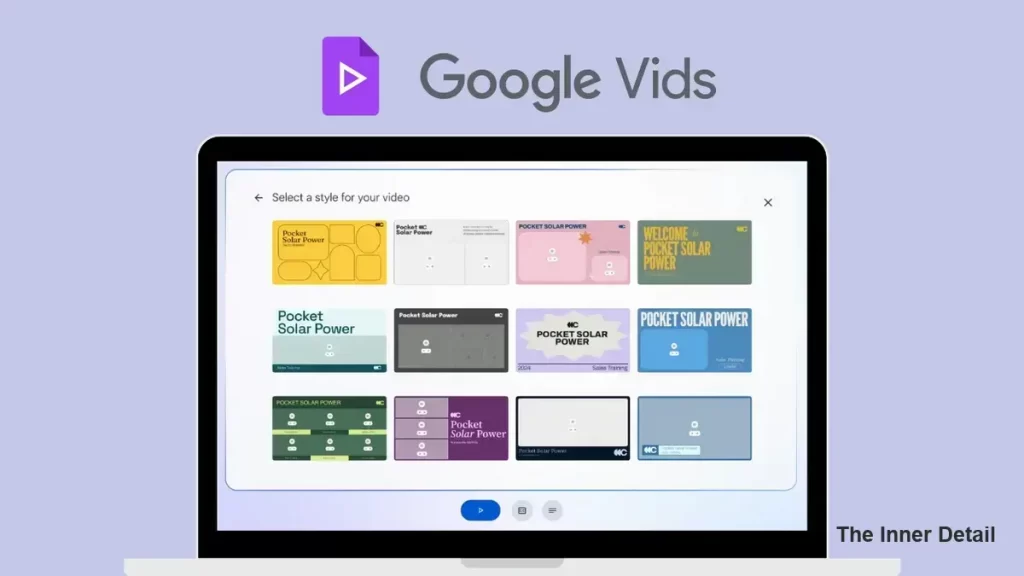
Google has made its AI-powered Video editor and creation tool “Free” for all users with dozens of loaded templates, making Video-editing much easier.
The landscape of digital content creation is constantly evolving, with artificial intelligence rapidly transforming what’s possible. For many, crafting professional-looking videos remains a formidable challenge, often requiring specialized skills and expensive software. Enter Google Vids, a revolutionary AI-powered video editor designed to democratize video creation, making it accessible to a much wider audience.
While the idea of a powerful AI video editor being “free for all” might sound too good to be true, Google Vids is indeed making sophisticated video creation more attainable, especially for organizations leveraging Google Workspace with Duet AI. This innovative tool promises to be a game-changer, empowering users to tell compelling stories with unprecedented ease.
What is Google Vids? The AI-Powered Storyteller
Google Vids is an intuitive, AI-driven video creation application integrated directly into Google Workspace. It isn’t just another video editor; it’s a storytelling assistant, designed to help users, regardless of their prior video editing experience, produce high-quality videos for various purposes—from business presentations and marketing campaigns to educational content and internal communications. The brilliance of Vids lies in its ability to harness the power of AI to streamline and simplify the entire video production process, from concept to final cut.
Peculiar Features: Vids’ Unique Edge
What sets Google Vids apart from traditional video editing software are its deeply integrated AI capabilities, which act as a co-creator rather than just a tool.
AI-Powered Script and Storyboard Generation: Imagine simply inputting a topic or a brief description of your video’s goal, and Vids’ AI can draft an initial script, outline, and even suggest a storyboard. This dramatically reduces the initial ideation and planning phases, a common hurdle for many creators.
Automated Media Curation: Vids intelligently sifts through a vast library of stock videos, images, and music to suggest assets that perfectly match your script and desired tone. No more endless searching for the right clip; the AI brings relevant options directly to you.
Intelligent Voice-Over and Narration: Users can choose from a selection of AI-generated voice-overs, complete with different tones and accents, to narrate their videos. Alternatively, you can record your own voice-over directly within the application, and the AI helps synchronize it with your visuals.
Professional Style Templates: To ensure your videos always look polished, Vids offers a range of pre-designed styles and templates. These allow users to apply consistent branding, fonts, and visual aesthetics with a single click, ensuring a professional appearance without needing a graphic designer.
Seamless Collaboration: As part of Google Workspace, Vids inherently supports real-time collaboration. Multiple team members can work on the same video project simultaneously, leaving comments and making edits, just like in Google Docs or Slides.
Integration with Google Ecosystem: Vids can effortlessly pull content from other Google Workspace applications like Docs, Slides, and Sheets, making it incredibly easy to repurpose existing material into engaging video formats.
How to Access and Use Vids AI
Currently, Google Vids is rolling out as part of the broader Google Workspace ecosystem, specifically for users leveraging Duet AI capabilities within their Workspace subscriptions. This means that while it’s not a standalone free app for every individual with a Google account, it is an included feature for many businesses and educational institutions subscribed to specific Workspace tiers.
Accessing Vids is straightforward once it’s available in your Workspace environment:
- Navigate to Google Workspace: Log into your Google Workspace account. You will typically find Vids alongside other applications like Docs, Sheets, and Slides.
- Start a New Project: Open Vids and select the option to create a new video.
- Provide Your Prompt: Tell the AI what your video is about. For example, “Create a marketing video for our new eco-friendly product” or “Explain the basics of quantum computing for beginners.”
- Review and Refine the Script: The AI will generate a draft script and storyboard. You can review this, make edits, and guide the AI to refine the narrative.
- Select Your Visuals: Based on your script, Vids will suggest relevant stock videos, images, and graphics. You can accept these suggestions, swap them out, or upload your own media.
- Choose Your Voice and Style: Pick an AI voice-over or record your own. Then, select a visual style template that best fits your brand or message.
- Collaborate and Polish: Invite team members to review and contribute. Use the intuitive timeline editor to fine-tune transitions, add text overlays, and adjust music levels.
- Share and Export: Once satisfied, you can easily share your video directly from Vids or export it in various formats for wider distribution.
Read this: 15 Google AI Tools that you should know & make use of it
The Significance: Why Vids Matters
The introduction of Google Vids marks a significant moment in the evolution of content creation, carrying profound implications for various sectors:
Democratization of Video: It dramatically lowers the barrier to entry for high-quality video production. Small businesses, educators, and non-profits can now create compelling visual content without needing extensive budgets or specialized expertise.
Enhanced Efficiency: For marketing teams, internal communications, and educators, Vids translates into immense time savings. What used to take hours or days can now be accomplished in minutes, freeing up valuable resources.
Professional Output for All: Even those with no prior editing experience can produce videos that look and sound professionally made, elevating the standard of communication across the board.
The Future of Work: Vids exemplifies the growing trend of AI as a co-pilot in our daily work. It empowers individuals to achieve more, fostering creativity and productivity by automating the more tedious and technical aspects of content creation.
Google Vids is more than just a new application; it’s a testament to the power of AI to transform complex tasks into approachable, even enjoyable, experiences. By putting sophisticated video creation capabilities into the hands of a broader user base within Google Workspace, Google is not just offering a tool, but enabling a new era of digital storytelling. As Vids continues to evolve, it promises to reshape how we communicate, learn, and connect through the dynamic medium of video.
Key Takeaways
- Google Vids is an AI-powered video editor integrated into Google Workspace.
- It aims to democratize video creation by making it accessible to a wider audience.
- Vids offers features like AI-powered script generation, automated media curation, and professional style templates.
- It’s designed for users with varying levels of video editing experience.
- Vids promotes efficiency and professional output for businesses, educators, and non-profits.