
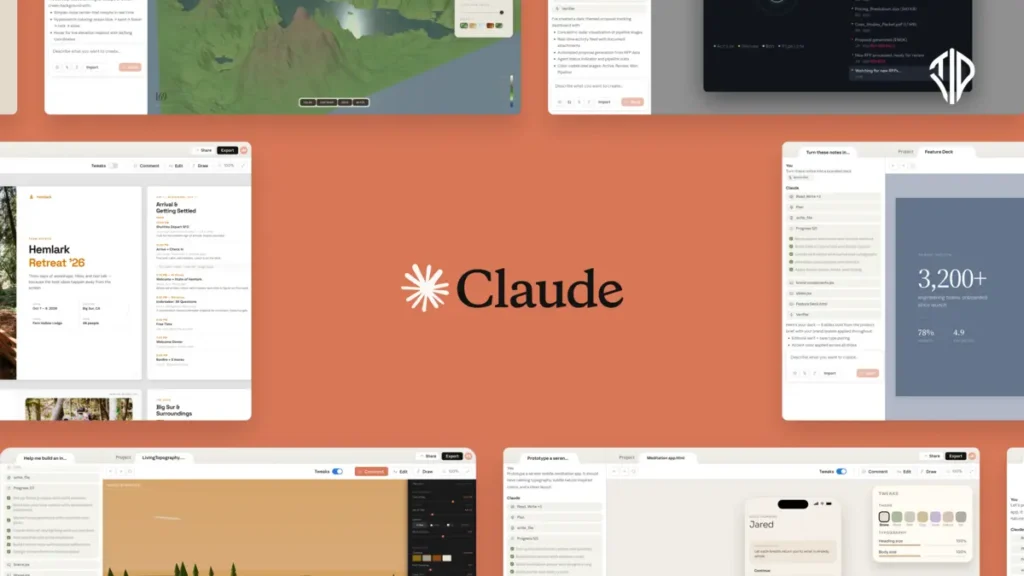
Anthropic’s Claude AI can now create quality engaging Instagram posts in seconds from your prompts, thanks to its agentic commands.
Creating visually appealing and highly engaging Instagram carousels has traditionally been a labor-intensive process, requiring expensive design software, complex templates, and hours of manual formatting.
However, the rapidly advancing capabilities of AI are fundamentally disrupting this workflow. By leveraging Claude AI and the newly released Claude Code, content creators can now automate the entire lifecycle—from initial scripting to final design and even direct scheduling—all without ever opening a traditional image editor.
This guide explores the professional strategies for building a viral Instagram carousel generator using the Anthropic ecosystem.
Key Takeaways
- Claude AI enables content creators to automate the full lifecycle of Instagram carousels, from scripting to high-fidelity design, using logic-based code instead of traditional editors.
- While Claude lacks native image diffusion, it excels at rendering precise HTML/CSS slides and brand-specific layouts that can be converted into professional images.
- Claude Code acts as a terminal-based autonomous agent that can scrape research, generate visual assets via Python, and schedule posts through third-party APIs.
- Advanced users can leverage OpenRouter integration to utilize powerful models like Qwen or Llama within Claude Code to bypass API costs.
Understanding the “Embodied” Intelligence of Claude
To build an effective social media workflow, it is crucial to understand the specific strengths and architectural limitations of the model you are using.
What Claude Cannot Do
Unlike multimodal models that include native diffusion capabilities, Claude does not possess a built-in image generation model. It cannot directly “spit out” a pixel-based illustration or a high-fidelity photograph in the chat window like a traditional text-to-image generator.
What Claude Can Do
Where Claude excels is in its unparalleled logic, coding, and reasoning abilities. Rather than generating a flat, uneditable image, Claude can write the exact code needed to render fully formatted, self-contained, and swipeable HTML slides.
It handles complex design tasks—such as pulling brand-specific Google Fonts, applying precise hex color codes, and ensuring pixel-perfect text alignment—with mathematical precision.
Furthermore, when utilizing the terminal-based Claude Code, the AI acts as a fully autonomous agent. It can browse the web for research, scrape transcripts from YouTube, draft compelling captions, and interface directly with third-party scheduling APIs.
Method 1: Designing with Claude Projects (The Web Interface)
For creators who prefer a browser-based environment, Claude Projects allows you to “train” a persistent workspace to adhere to your unique brand aesthetic.
Step 1: Style Extraction and JSON Branding
Start by uploading 3-5 of your most successful past Instagram carousels into a standard chat. Instruct Claude to analyze these images specifically for their design language: layout ratios, color palettes, typography, and spacing. Ask Claude to output these parameters strictly in a JSON schema. This structured data serves as the “DNA” for every post you generate hereafter.
Step 2: Configuring the Project Instruction
Navigate to the “Projects” section on your Claude dashboard and create a new environment. In the Project Instructions (the system prompt), paste your JSON brand data. Define its role clearly:
“You are an expert Instagram Design System. Using the provided JSON brand guidelines, transform any input text into a self-contained, responsive HTML carousel. Every slide must be a high-fidelity visual ready for export.”
Step 3: From Script to HTML Preview
Paste your source material—be it a blog post, newsletter, or video script—into the project. Claude will parse the text into a “Hook-Payoff-CTA” structure and render an interactive HTML preview. You can iterate on the design instantly by asking for “more whitespace” or “bolder headlines” within the same chat.
Step 4: Exporting for Instagram
Once the design is perfected, you can use browser extensions or simple print-to-PDF commands to capture the slides. Alternatively, you can prompt Claude to provide a Python script that uses the Pillow library to convert your HTML/CSS designs into high-resolution PNG files (1080×1350 px) ready for upload.
Method 2: Full-Stack Automation with Claude Code (The Agentic Approach)
For developers and advanced power users, Claude Code—Anthropic’s terminal-resident AI assistant—enables a “zero-click” content pipeline using specialized .md skill files. This method requires Claude Code to be installed on your system. If you are looking to download Claude Code for free, go ahead and read this article.
Step 1: Triggering the Agent
Once Claude Code is configured on your machine, the creation process begins in your terminal. By invoking a command such as /c carousel [Topic or URL], you initiate an autonomous sequence.
Step 2: Autonomous Research and Visual Generation
Claude Code doesn’t just write; it executes. If you provide a YouTube link, the agent automatically scrapes the transcript, identifies the most “viral” segments, and drafts the slides. It can then trigger local or cloud-based image generators (like Nano Banana) to create unique background assets, layering your branded text over them using Python-based image processing.
Step 3: Human-in-the-Loop Refinement
Claude Code maintains a collaborative environment. It will present the proposed slide layouts and captions in your terminal for approval. You can provide feedback via text or even voice notes, directing the agent to “swap the image on slide 3” or “make the hook punchier.”
Step 4: Automated Scheduling
The final step bridges the gap to the live platform. Once approved, Claude Code can interface with tools like Metricool or use browser automation (via Playwright or Puppeteer) to log into the Meta Business Suite. It uploads your visuals, pastes the generated caption, and schedules the post for your audience’s peak activity time—all without you ever opening a social media app.
Pro Tip: Running Claude Code for Free with OpenRouter
While Claude Code typically consumes Anthropic API tokens, savvy developers are increasingly using OpenRouter integration to run their coding workflows for free. By directing the ANTHROPIC_BASE_URL in your .claude/settings.json to the OpenRouter endpoint, you can swap the backend model for high-performance free models like Qwen 2.5 Coder or Llama 3.3 70B.
This allows you to experiment with autonomous Instagram automation and complex “vibe coding” without incurring any API costs. To learn the exact step-by-step configuration for this setup, check out our Comprehensive Guide to Free Claude Code via OpenRouter, where we show you how to bypass subscription limits and unlock unlimited AI agent power.
Join our community by subscribing to our Weekly Newsletter to stay updated on the latest AI updates and technologies, including the tips and how-to guides. (Also, follow us on Instagram (@tid_technology) for more updates in your feed and our WhatsApp Channel to get daily news straight to your Messaging App).
