

Anthropic has recently unveiled Claude Cowork, a groundbreaking AI tool that marks a major shift from traditional chatbots to “agentic” AI assistants.
While standard AI models typically respond to text prompts with more text, Claude Cowork is designed to function as an active “coworker” that lives directly on your computer, interacting with your files and folders to complete complex tasks autonomously.
What is Claude Cowork?
Claude Cowork is described as “Claude Code for the rest of your work,” specifically tailored for non-programmers who want the power of an AI agent without needing to use a Command Line Interface (CLI). Unlike a standard chat session, Cowork requires you to grant it access to a specific folder on your Mac. Once authorized, the AI can read, create, and edit files within that directory.
What sets Cowork apart is its agency; instead of just talking about a task, it creates a plan and executes it step-by-step, looping the user in on its progress as it works through a queue of tasks. It features a user-friendly Graphical User Interface (GUI), making it approachable for those who are not “coding inclined”.
Significant Breakthrough: Built by AI in Just 15 Days
One of the most remarkable aspects of Claude Cowork is its origin story. The tool was developed with incredible speed, coming together in roughly one and a half weeks (a “sprint and a half”). Even more impressive is that the tool was largely built by AI itself.
Boris Cherny, the inventor of Claude Code (Anthropic’s developer-centric tool), revealed that Claude Code wrote “pretty much” all the code for Claude Cowork. This demonstrates a powerful “meta” moment in AI development, where an agent designed for engineers was used to rapidly build and deploy a consumer-facing application for the general public.
Take a deep-dive: How to build AI-Agents for Free using n8n?
Real-World Use Cases
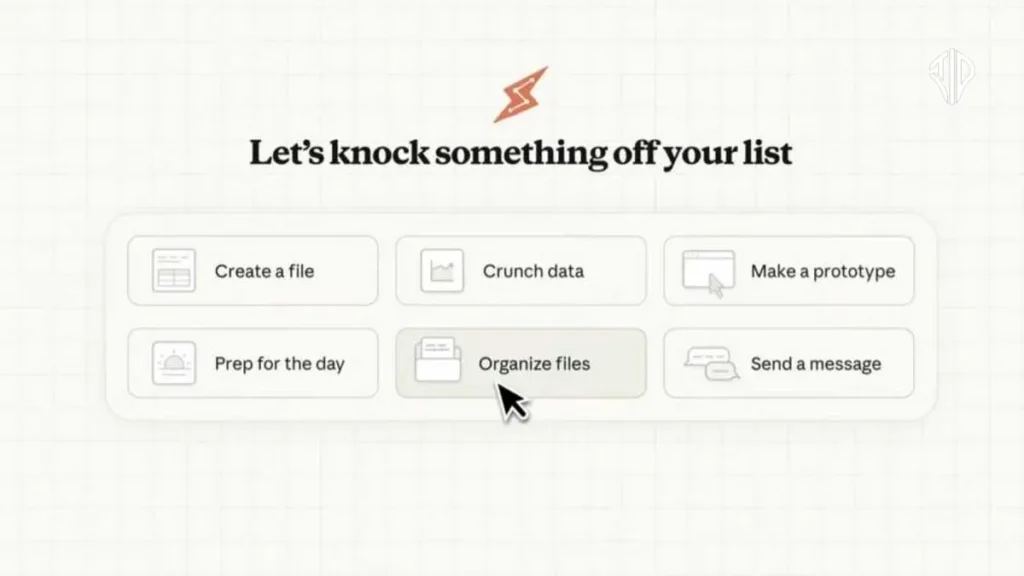
Claude Cowork is designed to handle the “menial tasks” and “random life admin” that clutter a digital workspace. Some of its primary capabilities include:
- Organizing Files: Sorting messy download folders and renaming items to follow a specific convention.
- Financial Management: Reading a pile of screenshots or receipts and automatically compiling them into a formatted expense spreadsheet.
- Report Generation: Compiling scattered notes and sources into a cohesive first draft of a report or project proposal.
- Browser Integration: When paired with the Claude in Chrome extension, Cowork can perform tasks that require internet access, such as downloading images or researching data.
Important Safety and Availability Information
As a research preview, there are several critical factors users should keep in mind:
- Requirements: Currently, Cowork is only available to Claude Max subscribers ($100/month) using the macOS desktop app. Windows support and cross-device synchronization are planned for future updates.
- Destructive Actions: Because the AI has the power to edit your filesystem, it can take “potentially destructive actions,” such as deleting files, if it misinterprets your instructions. Anthropic urges users to provide clear, precise guidance.
- Security Risks: Like many agentic models, Cowork is susceptible to “prompt injections”—malicious attempts by third parties to manipulate the AI’s behavior via content it encounters on the internet.
- Permission Control: For security, Claude cannot see or edit anything unless the user provides explicit access to a specific folder or external connector.
Anthropic drives the artificial intelligence towards the next step – agentic AI with attempts to automate your browser tasks through ‘Claude for Chrome’ and now to automate your computer-related tasks through ‘Claude Cowork’.
Ultimately, Claude Cowork represents an optimistic step toward a future where AI agents provide tangible, real-world assistance to the wider public, moving beyond simple conversation into active collaboration.
Join our community by subscribing to our Weekly Newsletter to stay updated on the latest AI updates and technologies, including the tips and how-to guides.
(Also, follow us on Instagram (@tid_technology) for more updates in your feed and our WhatsApp Channel to get daily news straight to your Messaging App).
