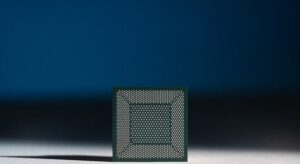

Before we dive into setting up your development environment to build AI Agents, it’s essential to ensure your computer meets the necessary specifications to run all the required software smoothly. Building AI agents, especially with local Large Language Models (LLMs) via Ollama and containerization with Docker, can be resource-intensive. Meeting these prerequisites in your system will provide a stable and efficient platform for your learning and development journey.
This chapter is a continuation of our module on “How to build AI Agents for Free?”. In this chapter, all the common system requirements recommended for building AI Agents using n8n, Ollama, Node.js, and Docker Desktop are listed:
Recommended System Specifications:
- Operating System:
- Windows: Windows 10 64-bit (version 2004 or higher) or Windows 11 64-bit (Home or Pro versions are generally fine, but Docker Desktop has specific requirements for WSL2, which is usually enabled by default on newer Windows installations).
- macOS: macOS Catalina (10.15) or newer (Apple Silicon or Intel processor).
- Linux: A modern 64-bit distribution (e.g., Ubuntu 20.04+, Fedora 32+, Debian 10+). Ensure your kernel is up-to-date and supports containerization features.
- Processor (CPU):
- Minimum: A modern Dual-Core processor (Intel Core i3 or AMD Ryzen 3 equivalent or better).
- Recommended: Quad-Core processor or higher (Intel Core i7/i9 or AMD Ryzen 7/9 equivalent or better) for smoother performance, especially when running Ollama and multiple Docker containers.
- Memory (RAM):
- Minimum: 8 GB RAM. This is a bare minimum and might lead to slow performance, especially if you plan to run larger LLMs or multiple applications concurrently.
- Recommended: 16 GB RAM or more. This is highly recommended for a comfortable experience, allowing you to run Ollama with medium-sized LLMs, Docker Desktop, n8n, and your operating system without significant slowdowns. If you plan to experiment with larger LLMs (7B+ parameters), 32 GB RAM is ideal.
- Storage:
- Minimum: 50 GB of free disk space.
- Recommended: 100 GB or more of free disk space. An SSD (Solid State Drive) is highly recommended over a traditional HDD (Hard Disk Drive). SSDs offer significantly faster read/write speeds, which drastically improves the performance of applications like Docker Desktop and the loading/running of LLMs by Ollama.
- Internet Connection:
- A stable internet connection is required for downloading the necessary software (n8n, Ollama models, Node.js, Docker Desktop) and any updates. Once installed, many operations, especially with Ollama, can be performed offline.
Important Considerations:
- Virtualization Support: Ensure that virtualization (VT-x for Intel or AMD-V for AMD) is enabled in your computer’s BIOS/UEFI settings. Docker Desktop, especially on Windows with WSL2, relies heavily on this. Visit this page to know more about WSL2. This is a must for enabling Docker Desktop to run in your PC. You can also read this Microsoft’s page to learn how to set up WSL2.
- Administrator Privileges: You will need administrator or root privileges on your computer to install all the required software and configure system settings.
- Graphics Card (GPU): While not strictly required for running the core tools, if you have a modern NVIDIA or AMD GPU with sufficient VRAM (8GB+), Ollama can leverage it for significantly faster inference with LLMs. This is an optional but highly beneficial enhancement for performance.
By ensuring your system meets these specifications, you’ll be well-prepared to set up your environment and begin building powerful AI Agents without encountering performance bottlenecks or compatibility issues.
Key Takeaways
- Ensure your operating system is up-to-date (Windows 10/11, macOS Catalina+, or a modern Linux distribution).
- A quad-core processor and at least 16 GB of RAM are recommended for optimal performance.
- Use an SSD with at least 100 GB of free space for faster application performance.
- Enable virtualization in your computer’s BIOS/UEFI settings for Docker Desktop.
- A modern GPU with 8GB+ VRAM can significantly improve LLM inference speed with Ollama.
(If you’ve any doubts / queries, post them in the comments. We’ll be ready to help you.)
← Previous Chapter Next Chapter →
Join our community by subscribing to our Weekly Newsletter to stay updated on the latest AI updates and technologies, including the tips and how-to guides. (Also, follow us on Instagram (@inner_detail) for more updates in your feed).
(For more such interesting informational, technology and innovation stuffs, keep reading The Inner Detail).