
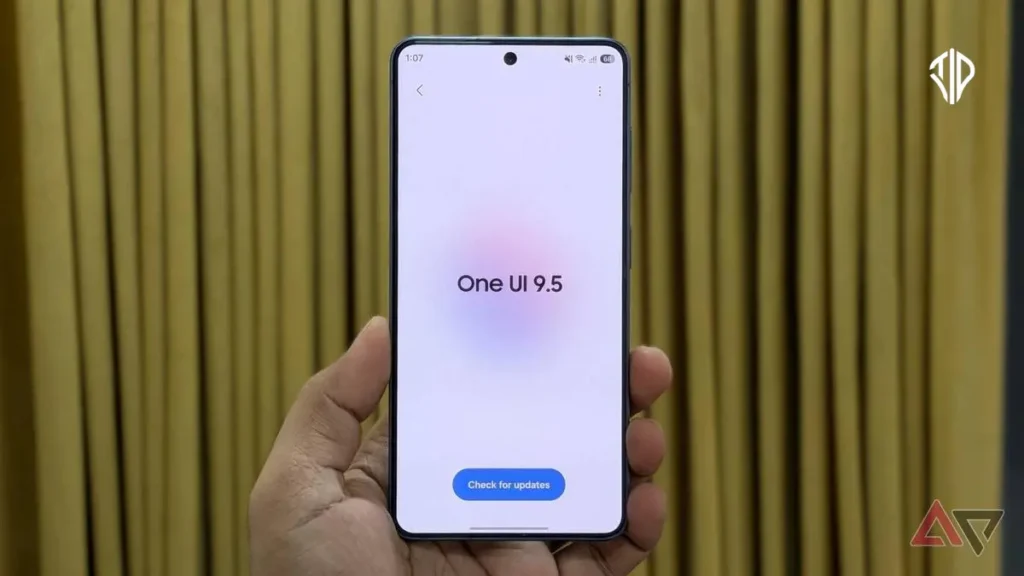
Samsung has officially started testing its next major mobile software iteration
according to recent reports. The initial beta release introduces several notable features designed to improve everyday smartphone usability, security, and digital well-being.
As smartphone operating systems mature, manufacturers increasingly focus on refining small quality-of-life details rather than introducing radical interface overhauls. One UI 9.5 demonstrates this shift clearly by integrating tools that users previously had to achieve through third-party apps or cumbersome workarounds.
Native App Locking Without Secure Folder
One of the most requested additions in recent software cycles is native app locking. Historically, Galaxy users had to rely on Secure Folder or third-party utilities to password-protect individual applications on their devices.
The new beta software simplifies this process completely. Users can now long-press any application icon on the home screen, select the padlock option, and immediately restrict access.
Locking an application automatically hides its notification preview contents and removes associated home screen widgets to maintain privacy. Authentication relies on the user’s face, fingerprint, or lock screen PIN.
Intelligent Privacy Display Activation
Privacy Display technology has previously required manual toggles depending on the user’s environment. The updated software introduces context-aware automation for this hardware feature.
Instead of keeping the viewing angle restriction enabled continuously, the interface now activates Privacy Display automatically only when sensitive content appears. This includes opening locked notes, private photo albums, or verified secure applications.
This automated approach preserves regular visibility during casual use while instantly protecting sensitive data when needed. It eliminates the friction of constantly toggling privacy filters manually throughout the day.
Quick Share Tap-to-Share Shortcuts
File sharing between mobile devices continues to see optimization through Quick Share integrations. The updated interface brings a tap-to-share mechanism similar to Apple’s AirDrop or NameDrop functionality.
Users can transfer contact information, web links, images, or documents by physically tapping the upper backs of two compatible, unlocked devices together. Both phones must have NFC enabled for the short-range connection to complete successfully.
This physical gesture reduces the number of menu taps required for ad-hoc sharing. It bridges the gap between traditional wireless file transfers and physical device interactions.
Live Depth Effect on Wallpapers
Visual customization receives a notable boost with the introduction of dynamic depth effects for lock screen backgrounds. This feature isolates the foreground subject of a photo from its background layer.
When enabled through the lock screen customization menu, the interface applies a subtle 3D tilt response as the user moves the physical device. This creates a layered parallax perspective that mirrors spatial scene aesthetics found on competing mobile platforms.
Digital Well-Being and Storage Tools
Managing digital distractions and internal storage capacity remains a priority for modern smartphone optimization. One UI 9.5 introduces a ten-second pause timer for designated applications to discourage repetitive opening habits.
Additionally, the My Files application now offers comprehensive storage cleanup suggestions. Users can quickly clear temporary cache files, pre-edit system backups, and empty trash directories through a consolidated interface.
These additions collectively make the upcoming software release a substantial functional upgrade rather than a minor cosmetic refresh. While Samsung has not yet announced a definitive public release schedule for the stable build, the beta gives a clear indication of where flagship Galaxy software is heading.
Key Takeaways
- Samsung’s One UI 9.5 beta introduces native app locking, allowing users to secure individual apps directly from the home screen using biometrics or a PIN.
- New context-aware Privacy Display automation activates viewing angle restrictions automatically only when sensitive content is displayed.
- Quick Share now supports a tap-to-share mechanism by bringing the backs of two NFC-enabled devices together.
- Lock screen customization features a live depth effect with a 3D tilt response, and digital well-being tools include a ten-second app pause timer.
Join our community by subscribing to our Weekly Newsletter to stay updated on the latest AI updates and technologies, including the tips and how-to guides.
Also, follow us on Instagram (@tid_technology) for more updates in your feed and our WhatsApp Channel to get daily news straight to your Messaging App.
