
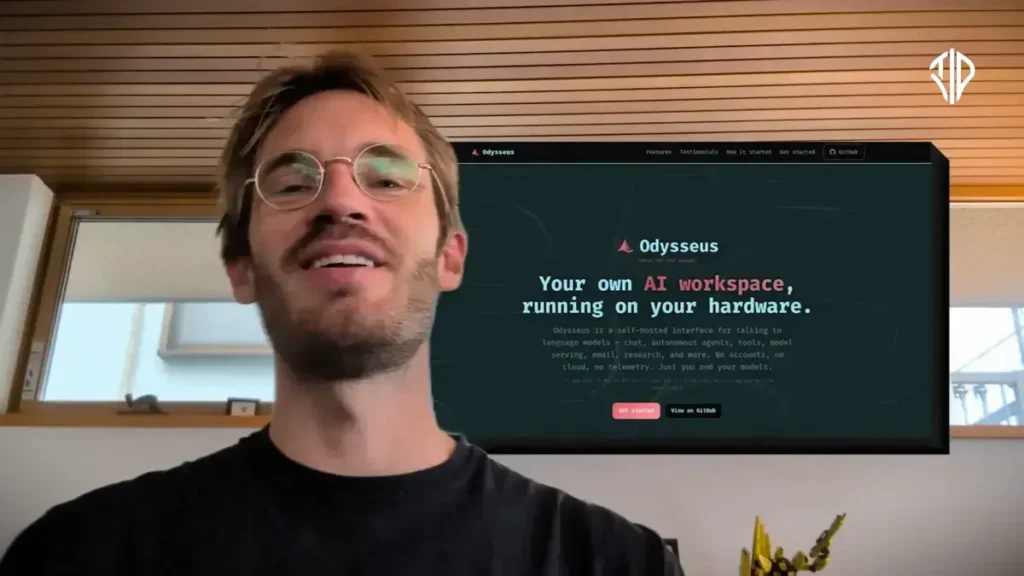
The artificial intelligence landscape is currently dominated by expensive monthly subscriptions and cloud-based systems that hoard user data. Enter Felix “PewDiePie” Kjellberg, who has just released a massive disrupter into the AI space. Launched on May 31, 2026, Odysseus is a completely free, open-source, and self-hosted AI workspace.
If you are tired of feeding your private information to giant tech companies or paying recurring fees for AI tools, here is everything you need to know about Odysseus, its powerful features, and how to get it running on your own machine.
Key Takeaways
- Odysseus is a 100% free, open-source, and local-first AI workspace designed to protect user privacy.
- The platform includes advanced features like autonomous agents, deep research tools, and a smart email client that runs entirely on your hardware.
- Setup is simplified via the “Cookbook” tool, which scans your PC and recommends compatible models from a library of 270+ options.
- For users with lower-end hardware, Odysseus supports external API keys for models like Claude and ChatGPT while maintaining the local interface.
What is Odysseus?
Odysseus is best described as a self-hosted alternative to the web interfaces of popular models like ChatGPT or Claude. Instead of interacting with an AI that lives on a corporate server, Odysseus runs entirely on your local hardware.
The core philosophy behind Odysseus is privacy. PewDiePie noted that the more you share with an AI—your workflow, documents, and past experiences—the better it serves you. However, handing that much personal data over to big tech companies presents a massive privacy risk, as user data is often traded or leaked.
PewDiePie built Odysseus to be a “local-first, privacy-first” platform with absolutely no telemetry, no subscriptions, and no tracking. As he boldly stated during the launch: “The war on big tech has just begun”.
The Standout Features of Odysseus
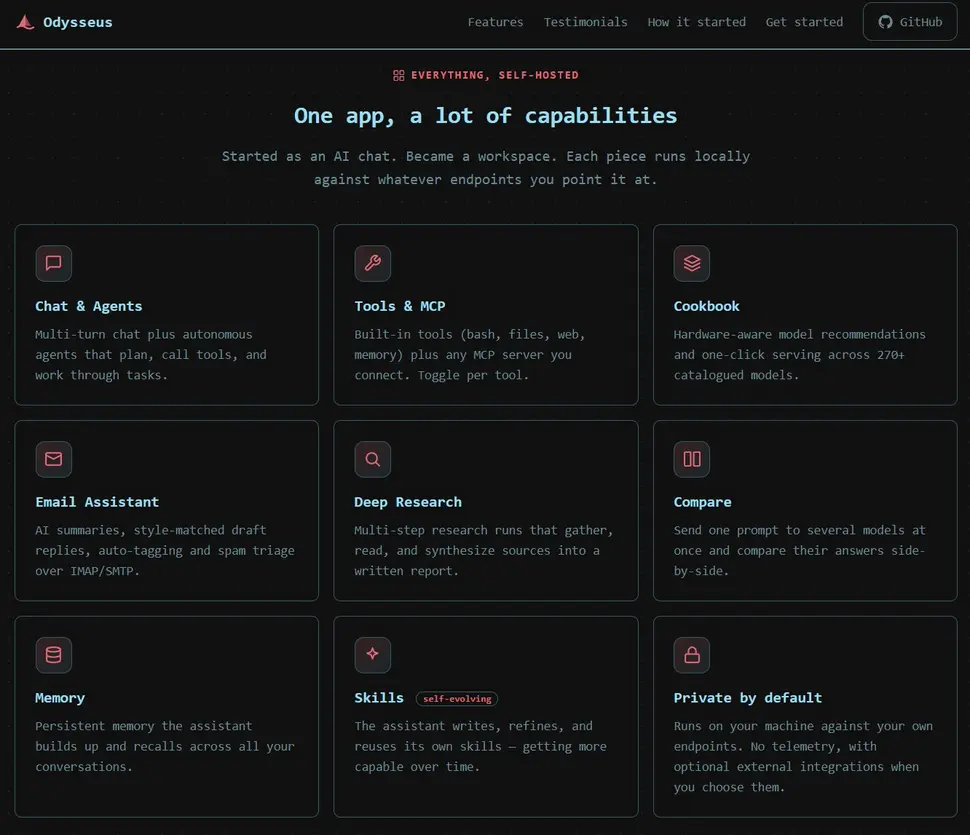
PewDiePie openly admits that he “stole” the best concepts from existing AI tools to build a unified, minimalist workspace. By bringing all these capabilities into one local hub, Odysseus boasts an incredibly robust feature set:
- Autonomous AI Agents: The platform includes self-evolving AI agents that can run directly on your computer. These agents can download files, create and edit documents, and even perform complex tasks like finding a video file on your PC and using Whisper to transcribe its audio.
- Deep Research: Borrowing concepts from Chinese AI developers like Tongi Labs, Odysseus features a built-in search tool that can run multi-step web searches, read sources, and compile comprehensive visual reports for free.
- Smart Email Client: The workspace can connect to your inbox via IMAP/SMTP to read your emails. It can intelligently flag urgent messages, automatically draft replies to simple queries based on basic searches, and filter spam.
- Human-First Document & Image Editors: Unlike tools that just generate text for you, Odysseus features a document editor where you do the typing, and the AI acts as an assistant to fix formatting, spell-check, or fact-check your work live. It also includes a basic image editor with features like instant background removal.
- Persistent Memory & Compare Mode: Odysseus extracts memories from your conversations to understand your preferences over time. Additionally, you can send a single prompt to multiple different AI models at once to compare their answers side by side.
- Everyday Tools: The workspace is rounded out with a calendar, a notes app (styled after Google Keep), and the ability to create custom AI characters or even group chats.
How to Set Up Odysseus on Your PC
Setting up local AI can traditionally be a nightmare of confusing variables and broken endpoints. Fortunately, Odysseus was designed to make this process incredibly simple through a built-in feature called the Cookbook.
Here is a step-by-step guide on how to get Odysseus running on your machine:
- Download the Workspace: Because Odysseus is open-source, you can download the application completely for free directly from its GitHub repository. Thanks to community efforts, it currently works across Windows, macOS, Linux, and even mobile devices.
- Run the Cookbook Hardware Scan: Once installed, open the Cookbook tool. The biggest hurdle in self-hosting AI is knowing what your specific computer can handle. Cookbook solves this by automatically scanning your PC’s hardware and giving it a performance score.
- Choose and Download a Model: Based on your hardware score, Cookbook will recommend compatible AI models from a catalog of over 270 options.
- If you have a standard modern laptop with around 16GB of RAM, you can download smaller “quantized” models (compressed models that trade a bit of capability for speed).
- If you have a high-end desktop with dedicated GPUs, you can run much larger, more powerful models. Once you select a model, you can download and serve it directly within Cookbook with a single click. The software automatically handles adding the correct API endpoints so you don’t have to write any code.
- The API Alternative (For Lower-End PCs): If your computer simply isn’t powerful enough to run a local AI model, or if you still want the intelligence of massive commercial models, you can still use Odysseus. The platform allows you to plug in external API keys. This means you can route Claude or OpenAI’s ChatGPT through the Odysseus interface, giving you access to all of PewDiePie’s workspace features while still utilizing cloud processing.
By combining high-end workspace features with a firm stance on data privacy, Odysseus is proving that you do not need to rely on massive tech corporations to access the future of AI.
Join our community by subscribing to our Weekly Newsletter to stay updated on the latest AI updates and technologies, including the tips and how-to guides.
(Also, follow us on Instagram (@tid_technology) for more updates in your feed and our WhatsApp Channel to get daily news straight to your Messaging App).
