
The global shift towards cashless transactions continues, with online payments, especially those utilizing UPI (Unified Payment Interface) IDs, becoming increasingly prevalent. Whether you’re shopping or paying for services, simply requesting a UPI ID and using apps like PayTM, PhonePe, or GooglePay facilitates quick and easy digital settlements.
However, unreliable network connectivity can often be a hurdle for some users, particularly those with Vi and BSNL SIM cards, where network stability can be a concern.
Fortunately, this challenge is now addressed with the introduction of an innovative offline UPI payment method. This new service simplifies transactions, mirroring the ease of online payments while eliminating concerns about poor network coverage or transaction settlement uncertainties.
Remarkably, this transaction method doesn’t even require a smartphone. The Reserve Bank of India (RBI) has enabled this advancement, allowing users to make offline UPI payments by simply dialing the *99# USSD code on any mobile phone.
The *99# service was integrated into the UPI ecosystem to benefit all mobile users, regardless of their device type. As long as your mobile number is linked to your bank account, you can access the full range of UPI functionalities via *99#. This robust service is supported by 41 prominent banks and all GSM service providers, available in 12 languages, including English and Hindi, for broad accessibility.
Despite its availability for some time, many users remain unaware of this convenient feature.
Essential Prerequisites for Using *99# UPI
Before utilizing the *99# UPI service, ensure your mobile number is securely linked to your bank account and that you possess an active UPI ID. For those not yet registered for UPI, the USSD codes also facilitate the registration process.
How to Register for the *99# USSD Service
- Dial *99# from your mobile number registered with your bank.
- Choose your preferred bank account from the options displayed.
- Input the last six digits of your debit card number.
- Enter the debit card’s expiry date, then set and confirm your UPI PIN.
Once registration is successfully completed, you are ready to begin using this invaluable offline UPI service.
How to Transfer Money Offline with *99# UPI
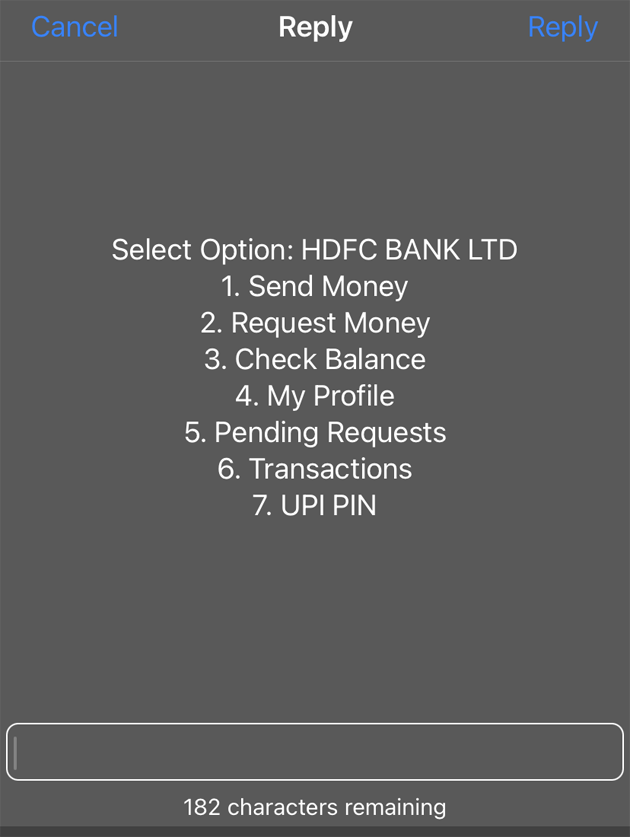
- Dial *99# from your registered mobile number to initiate the transaction.
- A menu with seven options will appear. Select “Send Money” by dialing 1 and then pressing Reply.
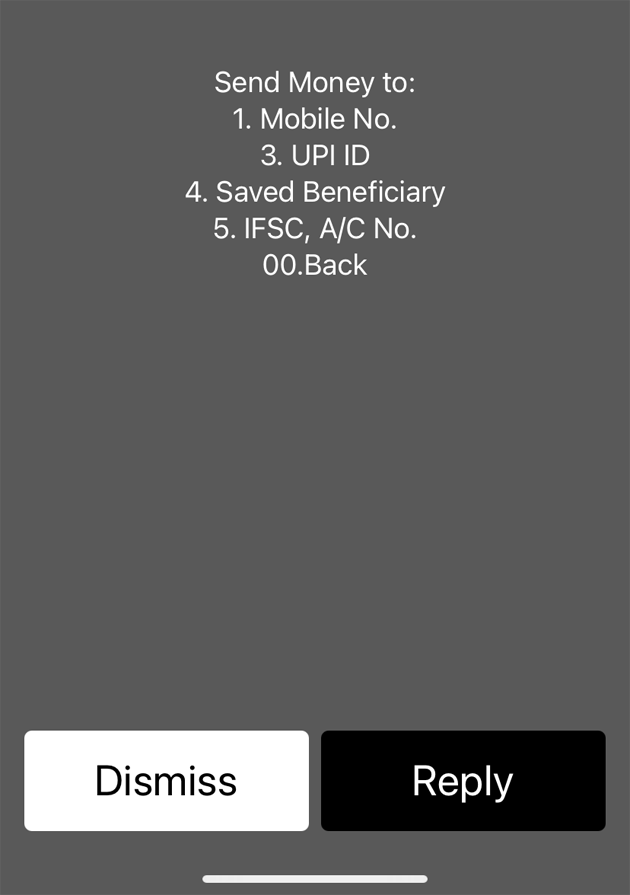
- Choose your preferred method for sending money to the recipient: via their mobile number, UPI ID, or by manually entering their bank account number and IFSC code. For example, if the recipient’s number is linked to their bank account, selecting “1. Mobile No.” is the most straightforward option.
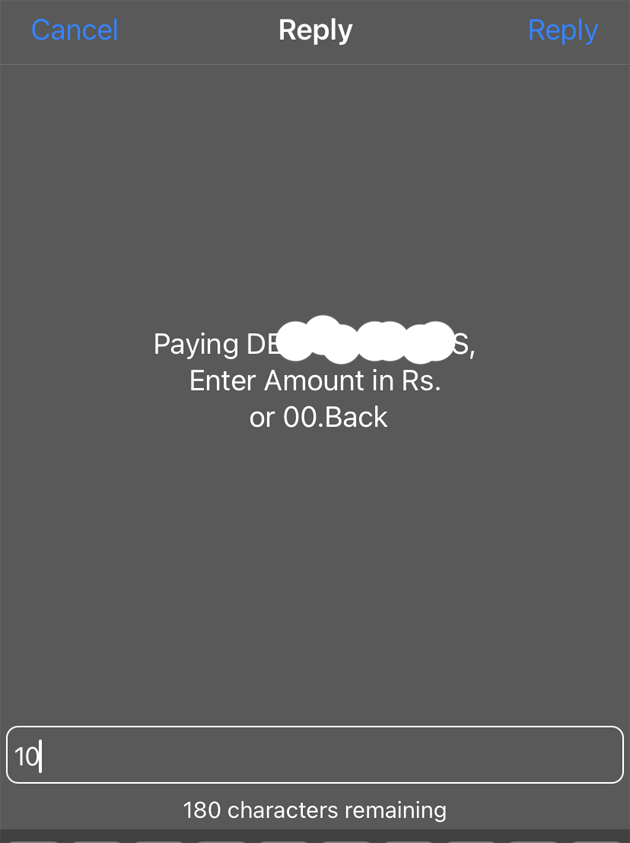
- Proceed to enter the specific amount you wish to transfer.
- Once the amount is entered, input your UPI PIN when prompted to authorize the payment.
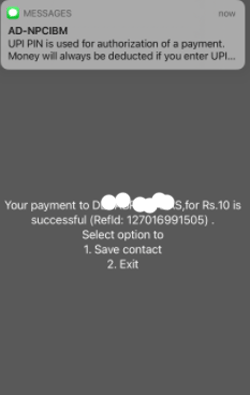
- Upon successful completion of the money transfer, a confirmation message will display on your phone screen, and you will also receive an SMS notification detailing the transaction.

Explore More Related Content
Key Features and Services of *99# UPI
Financial Transaction Capabilities
- Initiating money transfers via Mobile Number, UPI ID, Aadhaar Number, or Account Number combined with IFSC.
- Submitting requests for money using a UPI ID or Mobile Number.
Additional Non-Financial Services
- Effortlessly checking your current account balance.
- Setting up your UPI PIN securely.
- Modifying your existing UPI PIN.
- Accessing details of your last five transactions for easy tracking.
Enhanced Value-Added Features
Verify whether your Aadhaar is linked to your mobile number or bank account.
Join our community by subscribing to our Weekly Newsletter to stay updated on the latest AI updates and technologies, including the tips and how-to guides. (Also, follow us on Instagram (@inner_detail) for more updates in your feed).
(For more such interesting informational, technology and innovation stuffs, keep reading The Inner Detail).
