

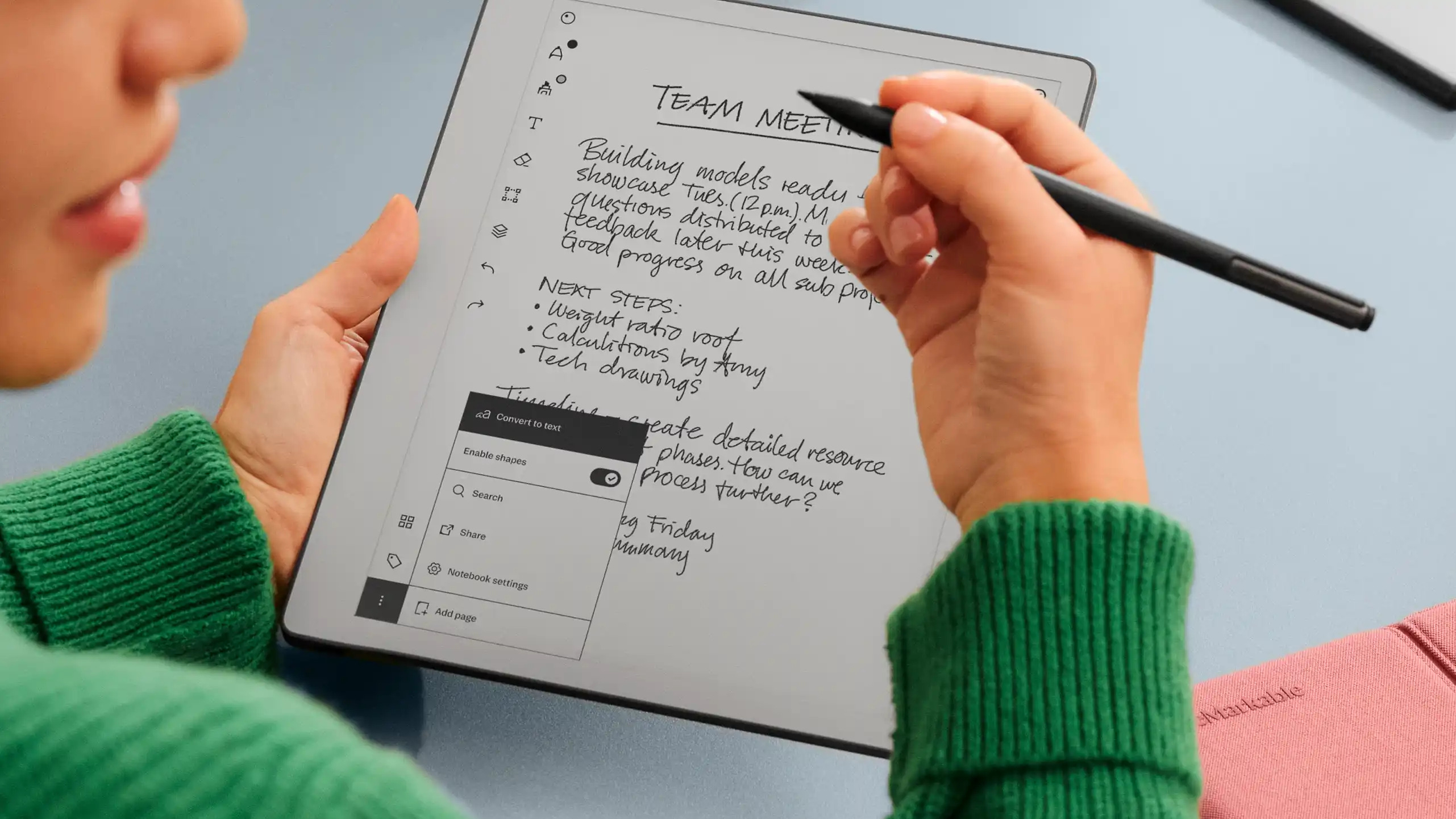
A developer brought Claude AI to life on a reMarkable tablet, crafting a seamless, almost magical interaction that vividly recreates the iconic Tom Riddle’s Diary from Harry Potter.
Think of a standard digital tablet as a finished painting hanging in a museum; you can admire it, but you cannot change the brushstrokes. In contrast, the reMarkable tablet acts more like a blank canvas and a set of professional tools left in an open studio, waiting for a creator to redefine its purpose.
While most modern devices serve as locked-down portals to a corporate ecosystem, some hardware enthusiasts are reclaiming their technology. ‘Maxime Rivest’, YouTuber and developer, innovated by turning reMarkable’s Paper tablet to an AI companion by connecting it with Claude Fable 5 AI.
Key Takeaways
- The reMarkable tablet utilizes a Linux-based operating system, allowing users full root access to customize their hardware.
- By integrating the Claude Fable 5 API, Maxime Rivest transformed his reMarkable tablet into a dynamic, two-way conversation with an AI.
- Open-source tools like Toltec and reStream enable a thriving ecosystem of community-developed applications and utilities.
- Hardware modification carries inherent risks, including the potential to void warranties or render a device unusable through improper system file changes.
The Magic Behind the AI Integration
The concept of a notebook that writes back feels like a relic from a fantasy novel, yet it is now a technical reality. When a user writes a query on the e-ink display, the system captures those handwritten strokes, processes them into digital text, and beams them to the Claude Fable 5 API.
The model then returns a thoughtful response, which the tablet renders directly onto the screen. This sequence creates an illusion of agency, where the device appears to contemplate your input before responding.
The technical workflow relies on a custom background script that orchestrates communication between the hardware and the cloud. Here is how the loop functions:
- Data Capture: The script monitors the tablet’s input layer, mapping the raw pen coordinates in real-time.
- Conversion: Handwriting recognition algorithms translate the pen strokes into high-fidelity text.
- Intelligent Processing: This text is transmitted over a secure connection to the Fable 5 language model, which generates the persona-driven reply.
- Visual Rendering: The tablet clears the initial query and displays the AI’s response, maintaining the aesthetic of a handwritten journal.
Why the reMarkable Tablet is a Developer’s Dream
The ability to perform this kind of “magic” is largely due to the device’s operating system. Unlike an iPad or a Galaxy Tab, which are constrained by rigid software environments designed to prevent user interference, the $399 (₹50,000) reMarkable tablet runs on a version of Linux.
This open-source foundation means the manufacturer allows users to access the root directory of the machine without complex workarounds.
Because the tablet is built on Linux, it grants the user total control over the software environment. By navigating the system settings, owners can easily retrieve the credentials necessary to log in via a secure shell, or SSH.
Once a user has terminal access, they are no longer just an end-user; they are a system administrator capable of installing custom software, modifying system behavior, and expanding the device’s capabilities far beyond its original intent.
The Ecosystem of Customization
The project is part of a broader movement among technology enthusiasts who believe in the right to modify the hardware they own. The reMarkable community has cultivated a library of resources that transform the device from a mere note-taking tool into a fully functional productivity hub.
If you are looking to explore this ecosystem, several notable projects exist:
- Toltec: An community-driven package manager that allows for the installation of third-party apps, similar to a specialized app store for e-ink enthusiasts.
- reStream: A utility that mirrors the tablet’s screen to a computer, enabling creators to showcase their workflow in real-time on video calls or during creative presentations.
- Enhanced Stylus Controls: Various patches allow users to assign custom actions to the physical pen buttons, significantly accelerating navigation within the interface.
A Word of Caution for Tinkerers
While the freedom to hack your device is a powerful feature, it does come with inherent risks. Modifying system files can lead to an unstable state, and in extreme cases, it may render the device unresponsive—an outcome often referred to as “bricking.” Furthermore, it is essential to remember that tampering with the internal software will void the manufacturer’s warranty.
Before diving into the command line, it is advisable to back up your system files and ensure you are comfortable with basic Linux terminal operations. For those with a technical background, the risks are often outweighed by the reward of owning a truly customizable piece of hardware.
The reMarkable tablet stands as a rare example of a product that respects the user’s intelligence and desire to innovate, serving as the perfect foundation for those who want to turn their digital notebook into something truly extraordinary.
Join our community by subscribing to our Weekly Newsletter to stay updated on the latest AI updates and technologies, including the tips and how-to guides. (Also, follow us on Instagram (@inner_detail) for more updates in your feed).
(For more such interesting informational, technology and innovation stuffs, keep reading The Inner Detail).
