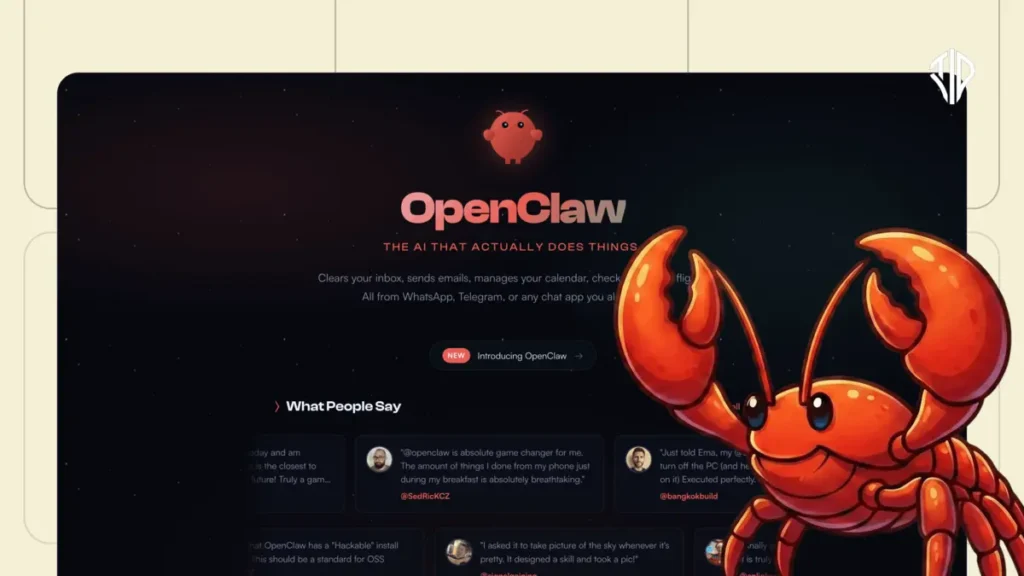
In the rapidly evolving world of artificial intelligence, we have moved beyond simple chatbots that only live in browser tabs. The latest breakthrough to take the tech world by storm is OpenClaw (previously known as Moltbot and Clawdbot), an open-source framework that has captured immense developer attention, reaching over 100,000 GitHub stars in record time.
Unlike a standard chatbot, OpenClaw is designed to be a “24/7 Jarvis”—a proactive personal agent that doesn’t just talk to you, but actually does things on your behalf.
What is OpenClaw AI?
OpenClaw is not an AI model itself; rather, it is an orchestration layer. It acts as a bridge between powerful large language models (the “brain”)—such as GPT-4, Claude, or Gemini —and a computer (the “body”). While standard AI tools wait for a prompt, OpenClaw runs constantly in the background on your machine or a server, waiting to execute tasks.
What makes it unique is the interface: you don’t need a special dashboard to use it. Instead, you communicate with it through familiar messaging apps like WhatsApp, Telegram, Discord, or Signal. By sending a text to your agent, you can trigger complex workflows that involve your files, web browsers, and third-party apps.
Key Capabilities and Features
OpenClaw is often described as a “concierge” because of its ability to handle a wide range of tasks autonomously. Its power rests on three core pillars:
- Full Computer Control: OpenClaw can open a web browser, write and run code in the terminal, read your Google Drive, manage your calendar, and send emails.
- Persistent Memory: It maintains a file called Soul.md (and other memory files) that stores your past conversations, preferences, and projects. This allows the agent to remember your habits, such as your seating preference on flights or how you like your code formatted.
- Agentic Proactivity: The system is designed to be “agentic,” meaning it can reach out to you first. For instance, it can be set to send you a morning briefing at 8:00 AM with your schedule and urgent emails before you even open your laptop.
- Sub-Agent Spawning: For complex projects, OpenClaw can “spawn” multiple sub-agents to work on different parts of a task simultaneously, such as running a security scan on a website while performing an OSINT investigation on a target.
How to Access and Install OpenClaw
OpenClaw is an open-source tool which you can deploy in your computer / laptop locally for free without any cost. Though you can run OpenClaw on dedicated local hardware like a Mac Mini, experts highly recommend using a Virtual Private Server (VPS).
A VPS ensures the agent is always online, and more importantly, it sandboxes the agent. Because you are giving an AI full access to a computer, running it on an isolated cloud server prevents it from touching your personal files or sensitive passwords on your local machine.
Quick Installation Steps:
- Deployment: You can use a one-click deployment through providers like Hostinger or DigitalOcean, which offer pre-configured OpenClaw templates.
- Terminal Setup: If setting up manually, you can use the official installation command in your terminal: // curl -fsSL https://openclaw.ai/install.sh //
- Link a “Brain”: You must provide an API key from an LLM provider (Anthropic, OpenAI, or Google) or link it to a service like Open Router to access hundreds of different models.
- Messaging Connection: Use the BotFather on Telegram to create a unique bot identity and link it to your OpenClaw dashboard using the provided API token.
Creating and Customizing Your AI Agent
Creating an agent with OpenClaw goes beyond installation; it involves shaping its “soul” and skills. You can refine your agent in the following ways:
1. Defining the Soul
The Soul.md file is the most important configuration for your agent’s personality. You can tell the agent to be a “senior engineer,” a “mindful companion,” or even a “security auditor”. You define its communication style (e.g., “never sugarcoat” or “be resourceful”), its core truths, and its boundaries.
2. Adding AgentSkills
OpenClaw is extended through AgentSkills, which are essentially plugins that teach the agent new tricks. There are over 100 preconfigured skills available on ClawHub, ranging from web automation and Spotify control to managing GitHub repositories.
3. Building Custom Skills
One of the most powerful features of OpenClaw is that it can self-improve. You can simply talk to your agent and ask it to create a new skill for a specific task. For example, you could say, “Create a skill that monitors this GitHub repo for new issues every evening and sends me a summary on Telegram”. The agent will write the necessary code, create the skill files, and implement the automation itself.
Real-World Use Cases
Early adopters have used OpenClaw for a staggering variety of tasks:
- Hacking and Security: Using OpenClaw on a Kali Linux machine to find nearby CCTV cameras, perform OSINT investigations, or automatically run penetration tests on websites.
- Developer Workflows: Building and deploying a React dashboard to Vercel entirely from a phone while away from a computer.
- Personal Life Admin: Negotiating car purchases, coordinating supermarket orders, and building weekly meal planning systems in Notion.
- Inbox Management: Scanning a Gmail inbox to differentiate spam from critical banking issues and drafting professional counter-proposals for business deals.
OpenClaw represents a fundamental shift in computing, where software acts as a trusted helper rather than a passive tool. By balancing the immense power of agentic AI with the security of a sandboxed cloud environment, users can finally delegate their digital load to a persistent, learning companion.
OpenClaw vs n8n
n8n is an open-source, node-based workflow automation platform designed to help technical teams build complex integrations and automate deep data processes by connecting various APIs through a visual interface. It allows users to branch and merge workflows and offers a self-hosted version to maintain control over data and costs.
While n8n serves as a structured, node-based workflow automation platform primarily designed for technical teams to manage deep data integrations, OpenClaw functions as a proactive agentic AI framework that prioritizes natural language interaction.
n8n requires users to manually construct and debug visual workflows, which can be prone to breaking if external APIs update, whereas OpenClaw acts as an orchestration layer that gives an AI “brain” a “body,” enabling it to autonomously execute tasks—such as file management, email sorting, or web research—via familiar messaging apps like Telegram or WhatsApp.
While n8n remains highly effective for simple, fixed technical processes, OpenClaw’s strength lies in its persistent memory (Soul.md) and its ability to act as a 24/7 personal assistant that learns from past conversations, making it significantly more approachable for non-technical users.
Controversies behind OpenClaw
The OpenClaw agent has sparked significant controversy primarily because it requires breaking traditional computer safety boundaries by granting an AI full access to a user’s files, browser, and terminal.
While this enables immense productivity, security experts warn that it creates a dangerous opening for prompt injection attacks, where a malicious email or webpage can trick the agent into leaking sensitive data, such as private security keys or credit card information.
Shortly after its launch, hundreds of installations were found exposed to the internet without protection, leading to concerns about shadow IT as employees utilized the powerful tool for job-related tasks without official oversight.
Furthermore, the community-driven ecosystem faces its own risks; at one stage, it was reported that 12% of the skills available on the “ClawHub” were actually malicious. Ultimately, the controversy lies in the difficult choice between liberation from repetitive tasks and the high risk of a system that, if misled, could drain accounts or expose private lives.
Join our community by subscribing to our Weekly Newsletter to stay updated on the latest AI updates and technologies, including the tips and how-to guides.
(Also, follow us on Instagram (@inner_detail) for more updates in your feed and our WhatsApp Channel to get daily news straight to your Messaging App).