
While artificial intelligence features often capture the primary headlines during major software rollouts, modern operating systems continuously evolve through subtle quality-of-life improvements. In a comprehensive overview published recently, everyday smartphone users have discovered that these quiet updates can radically improve daily usability without demanding complex setup routines.
These practical enhancements focus on resolving minor everyday friction points, such as audio management, device customization, and streamlined navigation. Examining these additions helps users unlock the full potential of their hardware beyond heavily marketed intelligence platforms.
Audio and Music Enhancements
The native Music application receives meaningful updates designed to create a more continuous and immersive listening experience. Building upon previous algorithmic transitions, the refined AutoMix functionality provides smoother blending between tracks.
Independent volume controls represent another long-awaited request answered in this release. Users can finally configure separate audio levels for alarms and timers directly through the system settings, preventing sudden alert sounds from matching general ringtone volumes.
Visual Customization and Lock Screen Adjustments
Personalization options have expanded significantly to give users more control over device aesthetics and daily information display. A brand-new extra-large widget size allows full-screen utility integration for core applications like Weather, Calendar, and Photos.
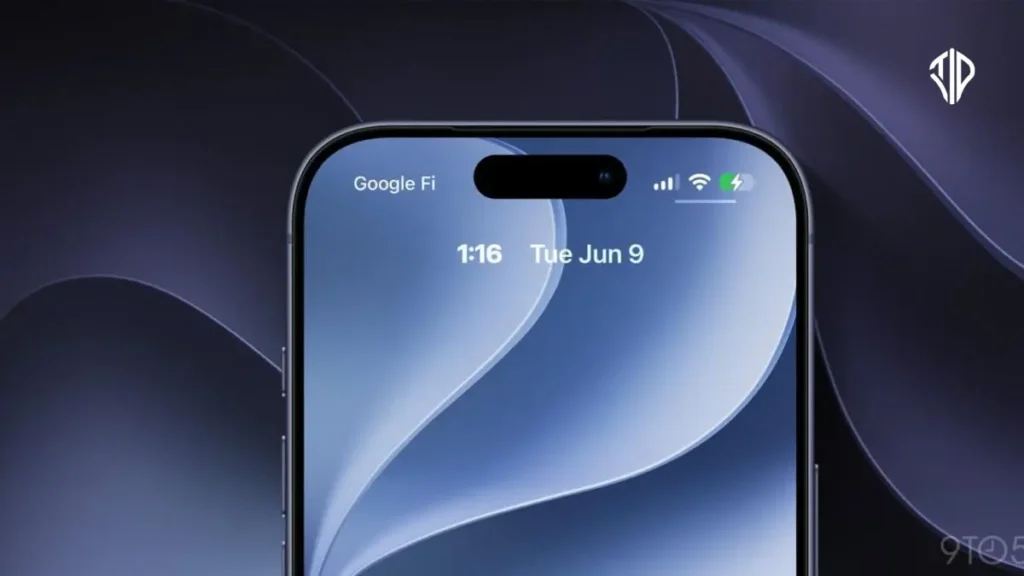
Lock Screen flexibility also improves by allowing users to relocate the digital clock to the top widget row. This adjustment ensures that important time displays no longer obscure complex photo backgrounds or personal wallpapers.
Streamlining Media and Sharing Workflows
Managing visual media directly on mobile devices becomes simpler through targeted workflow upgrades. iCloud Shared Albums now support full-resolution media sharing, ensuring friends and family receive original image and video quality without compression loss.
Another helpful photography addition allows users to extract and save specific video frames directly as individual photos. This eliminates the need to capture clumsy secondary screenshots while playing back recorded video clips.
Navigation and Productivity Shortcuts
Daily multitasking receives noticeable speed improvements through intelligent interface shortcuts. A built-in paste shortcut now appears above the keyboard automatically whenever users copy items to the device clipboard.
CarPlay users also benefit from improved media navigation through a newly integrated audio scrubber. This addition allows drivers to skip directly to specific timestamps in songs or podcasts right from their dashboard displays.
Understanding these understated platform improvements allows users to streamline daily routines and customize their mobile environment effectively.
Key Takeaways
- Subtle operating system updates significantly enhance everyday smartphone usability without complex setups.
- New audio features include AutoMix in Music and independent volume controls for alarms and timers.
- Visual personalization expands with extra-large widgets and movable Lock Screen digital clocks.
- Workflow improvements bring full-resolution iCloud Shared Albums and direct video frame extraction.
- Productivity shortcuts feature automatic paste options above the keyboard and CarPlay audio scrubbers.
Join our community by subscribing to our Weekly Newsletter to stay updated on the latest AI updates and technologies, including the tips and how-to guides.
(Also, follow us on Instagram (@tid_technology) for more updates in your feed and our WhatsApp Channel to get daily news straight to your Messaging App).
