
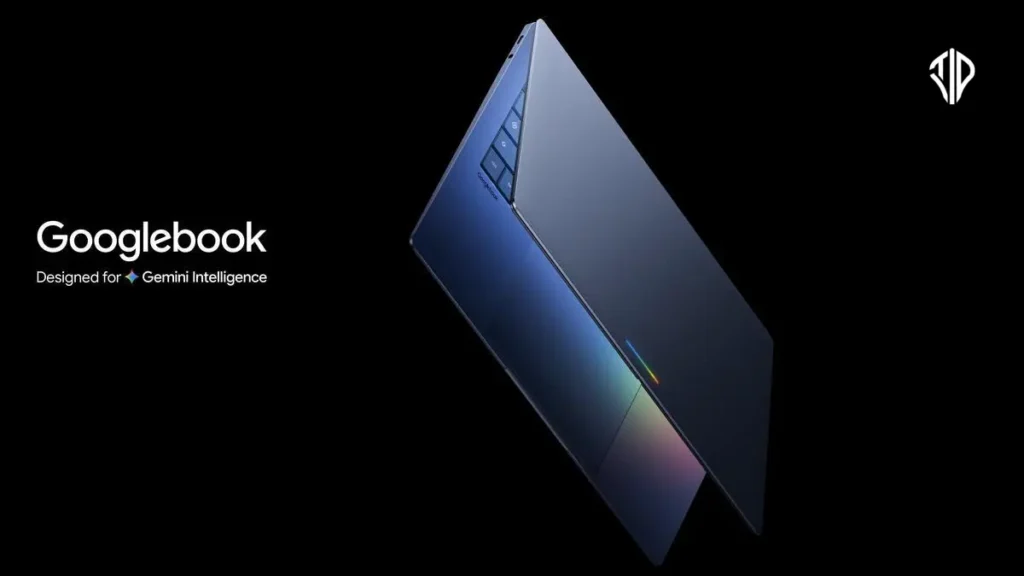
Google has introduced the Googlebook, a pioneering laptop category designed to integrate Gemini Intelligence directly into the user experience. This hardware shift marks a transition from traditional operating systems to a more proactive intelligence system for daily computing.
For decades, we have viewed the laptop as a digital toolbox—a collection of software and hardware waiting for us to initiate a task. Whether we are drafting a report or editing a photo, the machine remains passive until we provide the specific command or click.
The concept of a workspace that anticipates your needs, where the cursor itself understands the context of your work, is no longer a futuristic dream. This shift from a reactive tool to a proactive partner is the core philosophy behind the newly announced Googlebook, moving us from the era of the operating system to the era of the intelligence system.
Key Takeaways
- The Googlebook transitions hardware from a reactive operating system to a proactive “Intelligence System” powered by Gemini.
- A new “Magic Pointer” feature provides real-time contextual shortcuts and AI-driven task assistance.
- Deep Android integration allows for a seamless workflow between mobile apps and desktop hardware.
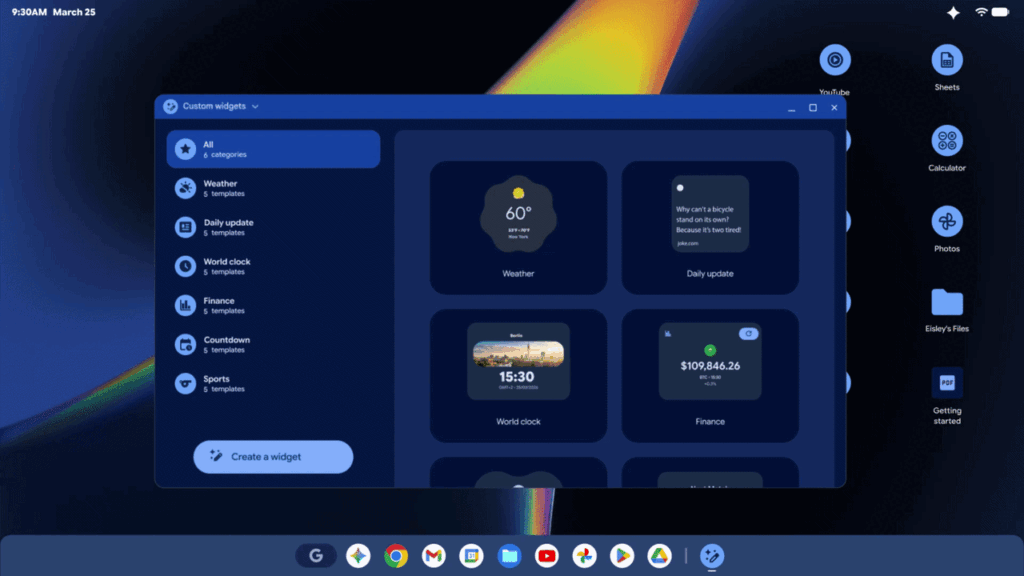
- Users can create bespoke dashboard tools and widgets through simple natural language prompting.
A New Paradigm in Personal Computing
The Googlebook represents a significant evolution in Google’s hardware strategy, moving beyond the cloud-first approach of the Chromebook toward an intelligence-first ecosystem. By merging the versatility of the Android tech stack with the reliability of the Chrome browser, Google is creating a seamless bridge between mobile and desktop environments.
This integration allows for faster innovation and a more unified experience across devices, ensuring that your digital life is no longer siloed between your phone and your computer.
The Magic Pointer and Contextual Intelligence
At the heart of the Googlebook experience is the Magic Pointer, a feature developed in collaboration with the Google DeepMind team.
Unlike traditional cursors that serve as mere selection tools, the Magic Pointer uses Gemini Intelligence to provide real-time, contextual suggestions. By simply moving the cursor, users can access shortcuts that streamline complex tasks.
Enumerate some of the key capabilities:
- Contextual Scheduling: Point at a date within an email to instantly generate a calendar invite.
- Visual Integration: Select an image of a piece of furniture and an image of your room to see them visualized together through AI.
- Actionable Content: Transform static text into active tasks or summaries without leaving the current window.
Customization Through Prompting
Personalization on the Googlebook goes beyond changing a wallpaper; it involves the creation of bespoke tools through the Create your Widget feature. By prompting Gemini, users can generate custom dashboards that aggregate data from various sources.
For instance, if you are planning a trip, a simple request can prompt Gemini to build a widget that tracks flights, hotel bookings, and local weather, pulling information directly from your Gmail and Calendar. This turns the desktop into a living, breathing command center tailored to your current priorities.
Seamless Android Integration and Quick Access
The synergy between the Googlebook and Android devices is designed to eliminate the friction of multi-device workflows. Users can interact with their mobile apps directly on the laptop screen, allowing for quick tasks like ordering food or completing a language lesson without switching devices.
Furthermore, the Quick Access file browser allows users to search and insert files located on their phone as if they were stored locally on the laptop, removing the need for manual transfers or cloud uploads.
Comparing the Googlebook to Traditional Laptops
| Feature | Traditional Laptops | Googlebook |
|---|---|---|
| Core Logic | Operating System (OS) | Intelligence System (Gemini) |
| Interaction | Reactive (User-led) | Proactive (Context-aware) |
| Cursor | Navigation Tool | Magic Pointer with AI Suggestions |
| Customization | Static Widgets | Prompt-based Custom Widgets |
| Mobile Sync | Cloud-based Sync | Deep Android Integration (Quick Access) |
Premium Hardware and the Glowbar Design
Google is partnering with industry leaders such as Acer, ASUS, Dell, HP, and Lenovo to bring this new category to life. These devices will feature high-end craftsmanship and diverse form factors to suit different professional and personal needs.
A signature physical trait of the Googlebook is the glowbar, a unique lighting element that serves as both a functional status indicator and a distinct aesthetic hallmark of the Gemini-powered era.
As we look toward the official launch this fall, the Googlebook stands as a testament to how generative AI can be woven into the very fabric of our hardware. More than just a laptop, it is an invitation to work more intuitively and efficiently than ever before.
Join our community by subscribing to our Weekly Newsletter to stay updated on the latest AI updates and technologies, including the tips and how-to guides. (Also, follow us on Instagram (@inner_detail) for more updates in your feed).
(For more such interesting informational, technology and innovation stuffs, keep reading The Inner Detail).
