
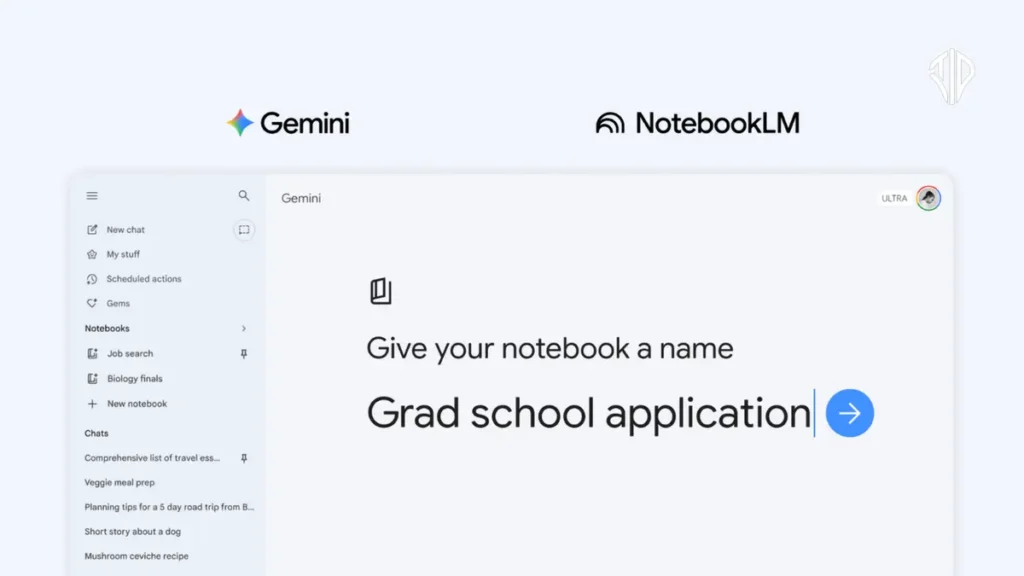
Google has launched a new Notebooks feature within the Gemini ecosystem, allowing users to consolidate chats, files, and custom instructions into organized project hubs. By bridging the gap between the Gemini app and NotebookLM, this update ensures that AI interactions remain contextually aware and persistent over long-term workflows.
Most of us have experienced the frustration of managing a complex project across dozens of browser tabs and disconnected chat windows. You find a perfect piece of information one day, only to struggle to re-contextualize it for the AI the next morning, leading to a repetitive cycle of re-uploading files and re-explaining goals.
Notebooks provide a structured solution to this digital amnesia. This new feature functions as a persistent knowledge base, ensuring that every document you upload and every instruction you provide becomes a permanent part of the project’s memory. It transforms the AI from a simple chatbot into a dedicated research partner that understands the long-term arc of your work.
Key Takeaways
- Persistent Memory: Notebooks eliminate “digital amnesia” by keeping chats, files, and instructions in a single, permanent project hub.
- Unified Ecosystem: Seamless synchronization between Gemini and NotebookLM allows users to move data between apps without losing progress.
- Customized Context: Users can curate specific sources like PDFs and past chats to ensure Gemini provides tailored, domain-specific responses.
- Phased Rollout: The feature is initially available to Gemini premium subscribers on the web, with mobile and free access coming soon.
Establishing a Persistent Knowledge Base
The core of the Notebooks feature is the ability to create a dedicated space for specific topics. Instead of a linear stream of unrelated chats, a notebook allows you to group conversations, uploaded documents, and custom instructions into one thematic unit. This means when you return to a project, Gemini already possesses the necessary context, eliminating the need to start from scratch.
When you initiate a new notebook, you can handpick the sources Gemini should prioritize. This might include PDFs, text documents, or specific past conversations that hold key data.
By using these curated sources alongside its web search capabilities, Gemini provides responses that are not just general, but specifically tailored to the unique data you have provided.
The Synergy Between Gemini and NotebookLM
One of the most significant aspects of this update is the seamless synchronization between the Gemini app and NotebookLM. Any source or file added to a notebook in one application automatically appears in the other. This continuity allows users to leverage the unique strengths of both platforms without losing their progress.
For instance, a user can start by organizing research papers and lecture notes in Gemini to create a high-level essay outline. Because of the sync, they can then jump into NotebookLM to utilize specialized tools like Video Overviews or Infographics based on that same data. This workflow creates a unified ecosystem where information flows freely between different AI-powered tools.
Practical Implementation and Workflow
Getting started with this feature is straightforward and integrated directly into the existing interface. Users can find the New notebook option on the side panel of the Gemini app. Once a notebook is created, the process of populating it with information is intuitive:
- Select New notebook from the Gemini side panel to create a fresh workspace.
- Move relevant past chats into the notebook to maintain a history of your thought process.
- Upload supporting files, such as PDFs or documents, to serve as the primary context for the AI.
- Set custom instructions that define how Gemini should behave within that specific notebook.
By following these steps, the AI begins to act as a specialist in that specific domain. Whether you are studying for a complex certification or managing a long-term business strategy, the notebook ensures the AI remains aligned with your specific constraints and data.
Availability and Future Rollout
The rollout of Notebooks is currently tiered, prioritizing users who require the most robust performance. Google AI Ultra, Pro, and Plus subscribers on the web are the first to receive access. This ensures that power users can immediately begin integrating these memory-enhancing tools into their professional and academic workflows.
For those not currently on a premium plan, Google has confirmed that access will expand to mobile platforms and free users in the coming weeks. Additionally, the feature will see a broader international release, including more regions across Europe. This phased approach allows for the stabilization of the syncing features before the tools become available to the global user base.
Comparison of Notebook Capabilities
To better understand how this update changes the user experience, it is helpful to look at the transition from standard chats to the new notebook system:
| Feature | Standard Chat | Notebook System |
|---|---|---|
| Context Retention | Lost once a new session begins or context window is exceeded. | Persistent memory across sessions and synced apps. |
| Source Integration | Requires manual re-upload of files in every new interaction. | Centralized library of documents accessible at all times. |
| Tool Access | Limited to the features within the Gemini interface. | Cross-platform access to NotebookLM specialized outputs. |
This structural shift represents a move toward AI as a workspace rather than just a search bar. By providing a home for information, Google is addressing the primary hurdle of AI productivity: the lack of a reliable, long-term memory.
Join our community by subscribing to our Weekly Newsletter to stay updated on the latest AI updates and technologies, including the tips and how-to guides. (Also, follow us on Instagram (@inner_detail) for more updates in your feed).
(For more such interesting informational, technology and innovation stuffs, keep reading The Inner Detail).
