
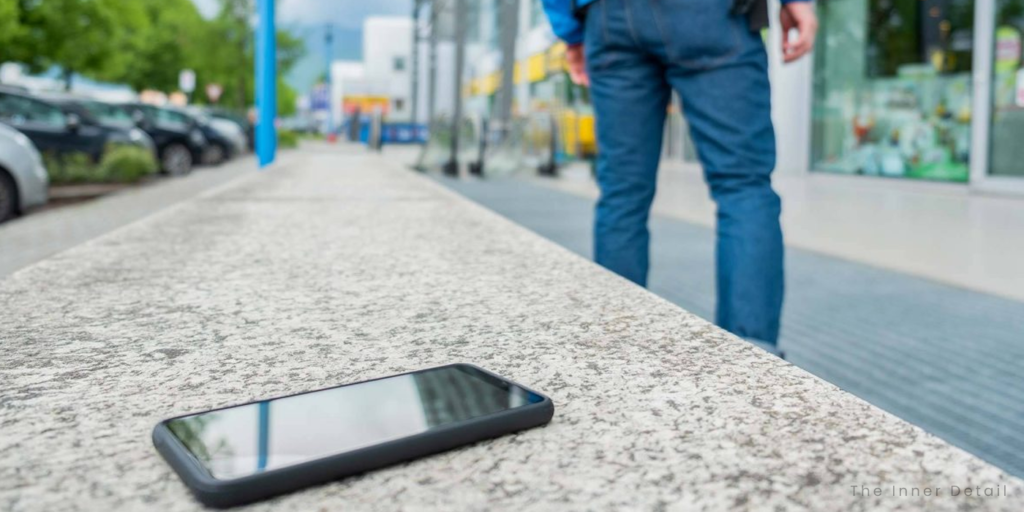
Modern Android phones are fortified with advanced security features specifically designed to protect your personal data, even if your device falls into the wrong hands. Google’s latest updates, however builds incredibly robust defenses, making it profoundly difficult for thieves to access your sensitive information and offering you greater peace of mind.
In an increasingly digital world, the fear of losing your phone isn’t just about the device itself; it’s about the treasure trove of personal data it contains.
Once, losing a wallet meant replacing cards and cash, but losing a smartphone feels like losing a piece of your digital identity, potentially exposing everything from banking details to cherished memories.
The good news is that the landscape of smartphone security has dramatically evolved. What was once a simple lock screen has transformed into a sophisticated, multi-layered defense system.
Google is continuously innovating, ensuring that your Android device is not just a communication tool, but a digital fortress, safeguarding your most valuable data against the persistent threats of theft and unauthorized access.
Fortifying Your Android Data
Phone theft is more than an inconvenience; it’s a direct threat to your financial security and personal privacy. Recognizing this, Google has committed to building multi-layered defenses that work tirelessly to protect you before, during, and after a theft attempt.
These proactive measures are designed to render your stolen device a significantly less appealing target for criminals, essentially making the data within virtually inaccessible to anyone but you.
Smarter Authentication Safeguards
A cornerstone of Android’s enhanced security lies in its stronger authentication safeguards, rolling out for devices running Android 16 and above. These updates dramatically restrict unauthorized access, even if a thief manages to bypass a basic screen lock.
For users on Android 15 and newer, the Failed Authentication Lock feature automatically secures your device’s screen after a series of incorrect PIN, pattern, or password attempts.
This crucial protection now comes with a dedicated toggle in settings, giving you more direct control over how this security layer operates. This means you can customize how quickly your device locks down, adding another layer of personalized defense.
Biometric Guardians for Critical Actions
Early in 2025, Google introduced Identity Check for Android 15+, requiring biometric verification (like a fingerprint or face scan) for certain actions when you’re outside of your usual, trusted locations.
This powerful safeguard was later extended to cover virtually all features and apps that utilize the Android Biometric Prompt. This expansion is a game-changer, meaning that critical third-party applications, such as your banking apps, and even Google Password Manager, automatically benefit from this heightened biometric security.
It ensures that even if someone gets past your screen lock, they can’t easily access your most sensitive applications without your unique biometric confirmation.
Outsmarting Guesswork: PINs and Patterns Made Stronger
One common tactic thieves use is to try and guess your screen lock. To combat this, Android has significantly increased the lockout time after failed attempts, making it much harder to brute-force a PIN, pattern, or password.
What’s particularly clever is that identical incorrect guesses no longer count towards your retry limit. This thoughtful detail prevents accidental lockouts by, for instance, a curious child repeatedly entering the same wrong pattern, while still maintaining robust protection against malicious attempts.
Beyond the Device: Empowering Your Recovery
Even if your device is stolen, Google provides enhanced recovery tools, available for Android devices running Android 10 and above, to help you secure and potentially retrieve it.
Remote Lock: Your Digital Lifeline Gets Stronger
The Remote Lock feature, accessible via android.com/lock, is a crucial tool that allows you to lock your lost or stolen device from any web browser. To bolster this already vital function, Google has added a new, optional security question or challenge to the remote locking process.
This additional verification step helps ensure that only you, the rightful device owner, can initiate a lock, adding another critical layer of security to your device recovery flow and preventing malicious actors from locking your device themselves.
Proactive Defenses: Security “Out-of-the-Box”
Google’s commitment to user safety extends to making theft protection instantly accessible. In some regions, like Brazil, key theft protection features are now enabled by default for new Android devices, offering immediate and powerful protection.
AI-Powered Theft Detection
Imagine your phone knowing it’s being stolen. This is precisely what Theft Detection Lock offers. Using on-device artificial intelligence, this feature senses motion and contextual cues that may indicate a “snatch-and-run” theft. If such an attempt is detected, the device screen will quickly lock itself, helping to protect your data before a thief even has a chance to react.
Instant Remote Locking
For new Android devices activated in Brazil, Remote Lock is also enabled by default. This means that users can lock their device from any web-enabled device via android.com/lock without needing to have enabled the feature in advance.
This ensures that new devices have a critical layer of theft protection from day one, providing peace of mind right out of the box.
Peace of Mind in Your Pocket
These continuous innovations demonstrate Google’s unwavering commitment to staying one step ahead of thieves. By continually evolving its multi-layered defenses, Android ensures that your device and the invaluable data it holds are protected, no matter where you go.
These smart, strong security updates reinforce why, even if your Android phone is stolen, your personal data remains remarkably safe and inaccessible to unauthorized individuals.
Key Takeaways
- Android security features are continuously evolving with multi-layered defenses, making stolen devices less appealing to criminals.
- New authentication safeguards like Failed Authentication Lock and Identity Check (requiring biometrics) significantly restrict unauthorized access, even if a screen lock is bypassed.
- Google has improved PIN/pattern security by increasing lockout times and ignoring identical incorrect guesses, thwarting brute-force attempts.
- Enhanced recovery tools, including Remote Lock with an optional security question, empower users to secure stolen devices.
- Proactive features like AI-powered Theft Detection Lock and default Remote Lock (in some regions) offer immediate, out-of-the-box protection.
Join our community by subscribing to our Weekly Newsletter to stay updated on the latest AI updates and technologies, including the tips and how-to guides. (Also, follow us on Instagram (@inner_detail) for more updates in your feed).
(For more such interesting informational, technology and innovation stuffs, keep reading The Inner Detail).
