
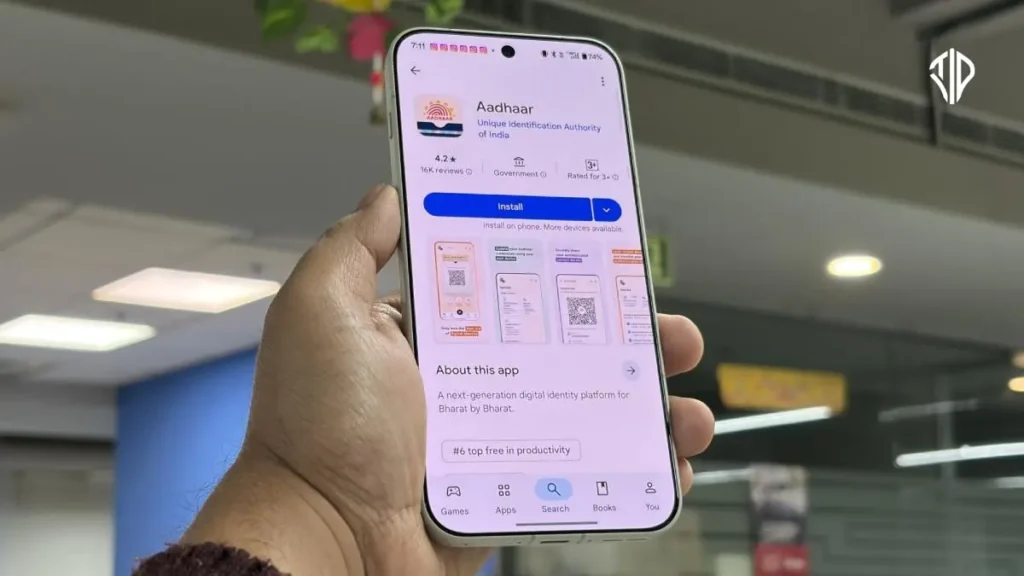
India’s new Aadhaar App significantly enhances digital identity verification, making it simpler, more secure, and user-centric. This post delves into its innovative features and guides you through the installation process.
In a rapidly digitizing world, personal identity often acts as a gateway to essential services, from banking to travel. Traditionally, this involved physical documents, prone to loss or misuse.
Recognizing this, India has continually evolved its approach to digital identity. The new Aadhaar App represents a leap forward, transforming how over a billion residents interact with their unique identification, focusing keenly on privacy and user control.
Aadhaar has become the cornerstone of India’s digital public infrastructure, serving as a foundational identity for its vast population. The latest redesign of the official Aadhaar App underscores a crucial shift: digital identity is not merely a technological achievement, but a matter of trust, access, and empowerment.
This updated application firmly places individuals at the core of identity verification, reflecting a “people-first approach” to digital governance.
Key Features of the Redesigned Aadhaar App
The new Aadhaar App reimagines how citizens use their digital identity, prioritizing ease of use, security, and consent.
Show, Share, and Verify with Ease
One of the app’s standout functionalities is its Show, Share, Verify mechanism. Users can now present their Aadhaar details digitally via a dynamically generated QR code. This allows for instant verification without the need to physically hand over documents, making interactions smoother at places like hotels, airports, or offices. It reduces paperwork, saves time, and significantly lowers the risk of personal data misuse.
Selective Sharing and Consent Control
Privacy is paramount in the redesigned app. Instead of revealing full Aadhaar information, residents now have the power to choose which specific details they wish to share. This granular control ensures that personal data is shared only with explicit user approval, fostering greater trust in digital transactions and empowering individuals with autonomy over their information.
Address Updates and Biometric Control Made Simple
Gone are the days of repeated visits for minor updates. The app allows users to update their address directly from their device, making the process both convenient and accessible. Furthermore, residents gain direct control over their biometrics, with the ability to lock or unlock them with a single tap. This crucial feature acts as an additional security layer, preventing unauthorized use of one’s Aadhaar.
Advanced Features Designed for Real-Life Use
The app integrates advanced authentication methods, including face verification, to confirm proof of presence. This enhances the reliability of Aadhaar-based authentication across various services. Designed with a user-friendly interface, the app aims to be accessible to all, irrespective of age or digital literacy, ensuring a seamless experience for urban and rural users alike.
Beyond Technology
This redesigned Aadhaar App is more than just a technological upgrade; it embodies India’s commitment to creating a digital identity system founded on principles of trust, transparency, and empowerment. By placing control, consent, and convenience directly in the hands of citizens, the app strengthens good governance and significantly improves the ease of living in an increasingly digital society.
As Aadhaar continues to be integral to everyday services, this people-centric strategy marks a pivotal achievement in India’s ongoing digital transformation.
How to Install the Official Aadhaar App
Installing the official Aadhaar App (mAadhaar) is a straightforward process, allowing you to quickly access its features on your smartphone.
- Open Your App Store: Navigate to the Google Play Store on Android devices or the Apple App Store on iOS devices.
- Search for “mAadhaar”: In the search bar, type “mAadhaar” or “Aadhaar App” and press enter. Look for the official app developed by the Unique Identification Authority of India (UIDAI).
- Download and Install: Tap on the “Install” or “Get” button. The app will download and automatically install on your device.
- Open the App: Once installed, open the app from your home screen or app drawer.
- Register Your Aadhaar: Follow the on-screen instructions to register your Aadhaar number within the app. This typically involves entering your Aadhaar number and a one-time password (OTP) sent to your registered mobile number.
With these steps, you will have access to all the advanced features of the new Aadhaar App, bringing greater security and convenience to your digital identity management.
Key Takeaways
- The redesigned Aadhaar App signifies India’s leap forward in digital identity, emphasizing privacy and user control for over a billion residents.
- Key features include instant digital verification via QR codes, selective sharing of details, and direct control over biometrics and address updates.
- The app integrates advanced authentication like face verification, designed for accessibility and a seamless user experience across diverse populations.
- It reflects a “people-first approach” to digital governance, fostering trust, transparency, and empowerment by placing identity control directly in citizens’ hands.
- Installing the official mAadhaar app is a straightforward process, enabling convenient and secure management of one’s digital identity.
Join our community by subscribing to our Weekly Newsletter to stay updated on the latest AI updates and technologies, including the tips and how-to guides. (Also, follow us on Instagram (@inner_detail) for more updates in your feed).
(For more such interesting informational, technology and innovation stuffs, keep reading The Inner Detail).