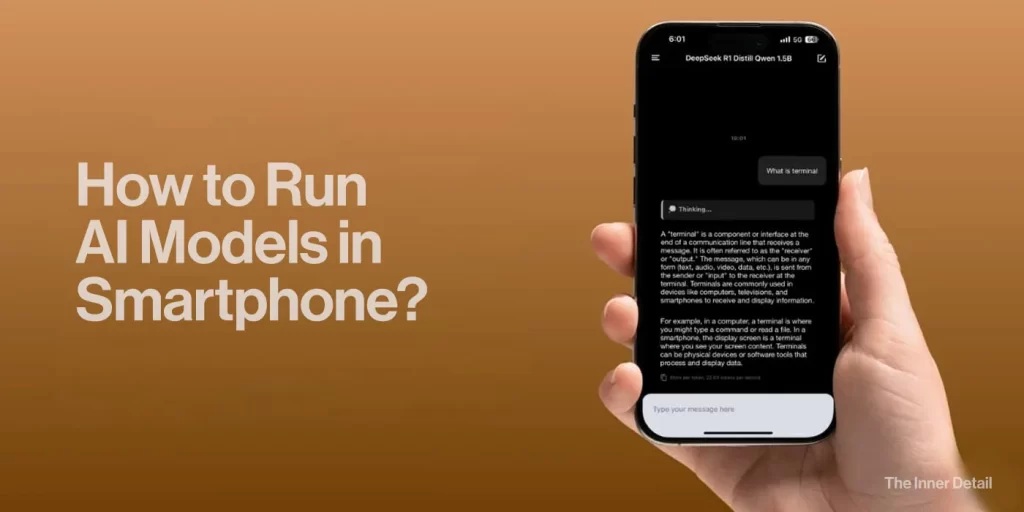
It’s now possible to run AI models locally in your smartphone with the help of certain apps, allowing you to harness the power of AI as well as be secured about the data, as it stays right in your phone.
The era of Artificial Intelligence is here, and it’s no longer confined to supercomputers or distant cloud servers. Thanks to advancements in mobile processors and AI model optimization, you can now run powerful AI models directly on your smartphone. This exciting development brings a host of benefits, transforming your device into an intelligent, private, and always-ready AI hub.
Usually we have been leveraging AI models like ChatGPT, Gemini in their websites (in Cloud) so far, which requires stable internet connection and may pose the threat of privacy controls. However, running an AI model locally relieves the user from these aspects. An AI-model run locally doesn’t require internet connection and you can also be fully assured of privacy of your data.
Before getting into how to run AI models locally, let’s skim through the differences of them.
Difference between running AI in Cloud vs Locally
Most AI experiences you’ve had, like interacting with Gemini on its website or using cloud-based image generators, rely on cloud AI. This means your request and data are sent over the internet to powerful servers, processed, and then the results are sent back. While cloud AI offers immense computational power and access to very large models, it comes with inherent trade-offs:
| Feature | Cloud AI (e.g., Gemini Website) | Local AI (On-Smartphone) |
| Data Privacy | Data sent to external servers; potential for interception/storage. | Data stays on your device; enhanced privacy and control. |
| Latency/Speed | Delays due to network transmission. | Near-zero latency; real-time responses. |
| Connectivity | Requires constant internet connection. | Functions offline, even without internet. |
| Cost | Often incurs recurring fees for data/compute. | Eliminates cloud expenses; more economical for frequent use. |
| Control | Less control over data processing by third parties. | Greater control over model usage and customization. |
| Model Size | Access to very large, complex models. | Typically uses smaller, optimized models (SLMs). |
| Computational Power | Leverages powerful remote servers. | Relies on smartphone’s NPU/GPU; optimized performance. |
How it Works: The Magic Behind On-Device AI
Running complex AI models like Large Language Models (LLMs) or image generation models (like Stable Diffusion) on a smartphone is made possible by several innovations:
- Model Compression & Optimization: AI models are “quantized” or “pruned,” reducing their size and computational demands significantly without losing much accuracy. Techniques like knowledge distillation train smaller models to mimic larger ones.
- Specialized Mobile AI Frameworks: Platforms like Google’s MediaPipe and Apple’s Core ML are optimized to leverage your phone’s Neural Processing Unit (NPU) or GPU for efficient on-device inference.
- Small Language Models (SLMs): Developers are creating smaller, highly efficient LLMs (e.g., Gemma 2B, Phi-2, TinyLlama) specifically designed to run effectively on mobile hardware while still delivering impressive performance for common tasks.
Getting Started: Popular AI Models and Apps
The landscape of local AI on smartphones is rapidly expanding. For Large Language Models, you can find apps that package models like Gemma, Llama 2, and Mistral for offline chat, summarization, and text generation. Examples include:
- For Android: Apps leveraging MediaPipe’s LLM Inference API can run models like Gemma 3n. Some open-source projects allow running LLMs using llama.cpp through Termux. Google’s AI Edge Gallery app is also designed to run AI models offline on your smartphone. It allows users to download and utilize AI models directly on their device, without needing an internet connection. This capability is achieved by running the models on the device’s CPU, GPU, or other accelerators.
- For iOS: Apps like Haplo AI and Apollo AI enable running open-source LLMs like Llama and Mistral directly on your iPhone, often leveraging Apple’s Metal for fast inference. Google AI Edge Gallery is also available in iOS.
For Image Generation (like Stable Diffusion), dedicated mobile apps are emerging that can run smaller versions of these models locally, allowing you to generate images directly on your device.
The process typically involves downloading a compatible app or framework, and then downloading the specific AI model file, which can range from a few hundred megabytes to several gigabytes. Your phone’s processing power and RAM will determine which models run smoothly.
Running AI models locally on your smartphone empowers you with unparalleled privacy, speed, and freedom. It’s a testament to the continuous evolution of mobile technology, putting the power of AI directly into your hands, anytime, anywhere.
Key Takeaways
- On-device AI brings AI processing directly to your smartphone, enhancing privacy and speed.
- Model optimization and specialized frameworks make running complex AI models on mobile devices possible.
- Apps are emerging that allow you to run LLMs and image generation models locally on your phone.
Join our community by subscribing to our Weekly Newsletter to stay updated on the latest AI updates and technologies, including the tips and how-to guides. (Also, follow us on Instagram (@inner_detail) for more updates in your feed).
(For more such interesting informational, technology and innovation stuffs, keep reading The Inner Detail).